#SharePointProblems | Koskila.net

Solutions are worthless unless shared! Antti K. Koskela's Personal Professional Blog

All Posts

Browse all blog posts and archives

All Posts (529)

Showing 326 to 350 of 529 posts (Page 14 of 22)
  • Cover image for Office 365 video migration to Office Stream imminent - Get Ready!
    Published on
    Authors
    koskila

    Office 365 video migration to Office Stream imminent - Get Ready!

    While this post will mostly be about the highly topical migration from Office 365 Video to Microsoft Stream, there's also a fair amount of rambling about Microsoft's partner strategy and a bit of history included. I'm starting with the main stuff and then proceeding to the ranty parts, so just skip the last 75% of the post if you don't care about that kind of stuff! On to the content, then !
  • Cover image for How to use TWRP to flash an Android device that refuses to boot to TWRP?
    Published on
    Authors
    koskila

    How to use TWRP to flash an Android device that refuses to boot to TWRP?

    Last Christmas holiday I was tasked by older relatives to fix an Android tablet they had bought. One of those absolutely useless, 100€ devices that can't really run any apps, and struggle to even start. My first proposition was to return the device - but it was already past the return window. Lenovo 's bloated nightmare version of an Android was likely the biggest reason for slowness.
  • Cover image for Azure Functions host quits with "The system cannot find the file specified"
    Published on
    Authors
    koskila

    Azure Functions host quits with "The system cannot find the file specified"

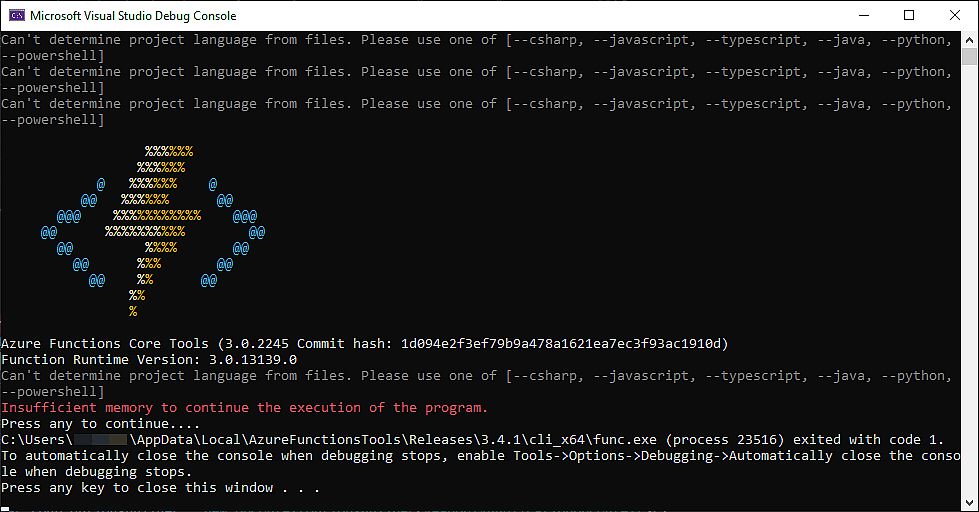
    So, another interesting issue I ran into when developing Azure Functions locally. What an endless bag of funsies! 😁 This time, the issue was simple but infuriating - my Azure Functions host would just silently close when debugging: none of the breakpoints would be hit, and no information would be logged anywhere. Azure Functions Core Tools (2.4.432 Commit hash: 3371a87e0fce2aa35986c0de8e77d5d618163b91) Function Runtime Version: 2.0.12332.
  • Cover image for How to extract more information out of your Azure Functions host failing silently?
    Published on
    Authors
    koskila

    How to extract more information out of your Azure Functions host failing silently?

    I don't know about you, but it's happened to me a few times: fire up your Azure functions project, hit F5 to start debugging project builds without errors, Azure Functions host starts... And shuts down right away. This article has a few quick and simple tips on how to extract a bit more information from the Azure Functions host (func.exe) , when it's just silently failing. This means by default you won't get any information about what's going wrong.
  • Cover image for An easy fix for WordPress media uploads failing after a year/month change
    Published on
    Authors
    koskila

    An easy fix for WordPress media uploads failing after a year/month change

    This article explains one possible fix to a situation, where your pictures in WordPress fail to show up. In this particular case, uploading, editing and even selecting pictures for your articles works - just displaying them doesn't work. Alternatively, programmatic access might fail as well: in my case, ShortPixel reported an error "There was an error and your request was not processed: Could not download the file (404 Not Found)".
  • Cover image for App Service refuses connections with error: "No connection could be made because the target machine actively refused it"
    Published on
    Authors
    koskila

    App Service refuses connections with error: "No connection could be made because the target machine actively refused it"

    This blog post describes a very specific fix to a very specific issue. In a software project that consisted of a desktop client application and some APIs hosted on Azure, we ran into an error where some connections to APIs would fail with an error like this: No connection could be made because the target machine actively refused it. What gives?
  • Cover image for 2019 - Year Review (200th post on this blog!)
    Published on
    Authors
    koskila

    2019 - Year Review (200th post on this blog!)

    When I started this blog in 2015 as a place to stash my, eh, thoughtful workarounds , I didn't think I'd ever hit 200 live articles (with another hundred still in draft mode). Or that I'd get half a million people reading them in a year! Man, I didn't know either one of these things when I was writing my 2018 review , which feels like was just a moment ago.
  • Cover image for Obfuscar 2.0 errors with loading types from assembly
    Published on
    Authors
    koskila

    Obfuscar 2.0 errors with loading types from assembly

    I plugged Obfuscar into my build pipeline (the easiest configuration ever, by the way) because I needed to obfuscate a DLL I was going to push as a NuGet package. The DLL was obfuscated without changing any of the public APIs, Classes or Parameters - only internal stuff was scrambled. Simple stuff. Presumably.
  • Cover image for WordPress blog article edit mode: No Tags or Categories visible?
    Published on
    Authors
    koskila

    WordPress blog article edit mode: No Tags or Categories visible?

    This post describes a couple of useful solutions or workarounds for an awkward situation, where you can't manage the metadata of your articles on WordPress. This hampers greatly your ability to organize your posts - and if you're using WordPress like I'm using, also lowers the visibility of your new articles (I'm using the tags as hashtags when sharing to social channels)! We don't want that. But what's actually causing it?
  • Cover image for How to resolve AADSTS90056 - "The endpoint only accepts POST requests. Received a GET request."
    Published on
    Authors
    koskila

    How to resolve AADSTS90056 - "The endpoint only accepts POST requests. Received a GET request."

    This post details my very simple solution to an extremely unnecessary and kind-of simple error that I encountered when logging into SharePoint. However, you could run into the same error after configuring Azure Active Directory authentication to a custom web application. AI-powered summary: How to resolve AADSTS90056 error for Azure AD apps The AADSTS90056 error means that the resource principal (the app or service you’re trying to access) was not found in the Azure AD tenant.
  • Cover image for Classic SharePoint blogs are going away - what next?
    Published on
    Authors
    koskila

    Classic SharePoint blogs are going away - what next?

    So the interesting news is not over - Microsoft recently announced that their personal blogging platform for Office 365, Delve Blogs, is getting retired. Now it turns out Classic SharePoint blogs are also getting cut. This leaves some organizations in a bit of a tough spot - what to use for blogging from now on? In this article, I'm taking a look at what brought us here, and thinking about our next steps from here on forward. Background Okay, then - what brought us here?
  • Cover image for How to find out which WebDriver version is installed on an Azure DevOps build machine using YAML?
    Published on
    Authors
    koskila

    How to find out which WebDriver version is installed on an Azure DevOps build machine using YAML?

    Uh, okay, well. So this is where you should just RTFM (that's along the lines of "check the documentation" for those uninitiated in the world of unnecessary abbreviations). But as we've found out before, Microsoft's documentation on the agent's installed software isn't always up-to-date . That's why I added this simple snippet on my pipeline to figure out which version of the browser AND the webdriver are installed on the machine.
  • Cover image for How do you migrate your Delve Blogs content to Modern SharePoint?
  • Cover image for How to export your Delve blogs content?
    Published on
    Authors
    koskila

    How to export your Delve blogs content?

    The news is out - Delve Blogs will be axed, leaving your users without a blogging platform on Office 365, and their data homeless. And by homeless, I mean deleted. Might be a good time to start thinking about storing it somewhere else instead! This post is the second post in my impromptu, Delve Blogs -themed blog series: Part 1: Delve Blogs getting deprecated – what do? Part 2: How to export your Delve blogs content?
  • Cover image for Delve Blogs getting deprecated - what do?
    Published on
    Authors
    koskila

    Delve Blogs getting deprecated - what do?

    Last week, Microsoft sent a surprise email to a number of customers. Delve blogs - the hated & loved self-serve internal blogging platform on Office 365 is getting axed. It doesn't really come as a surprise at this point - the service was first announced in 2014, and launched to some hype and appreciation (especially due to the new CMS - authoring canvas - which was a lot of fun compared to Classic SharePoint!) but has pretty much faded away after that.
  • Cover image for "Unable to service request" when trying to log into a Microsoft website
    Published on
    Authors
    koskila

    "Unable to service request" when trying to log into a Microsoft website

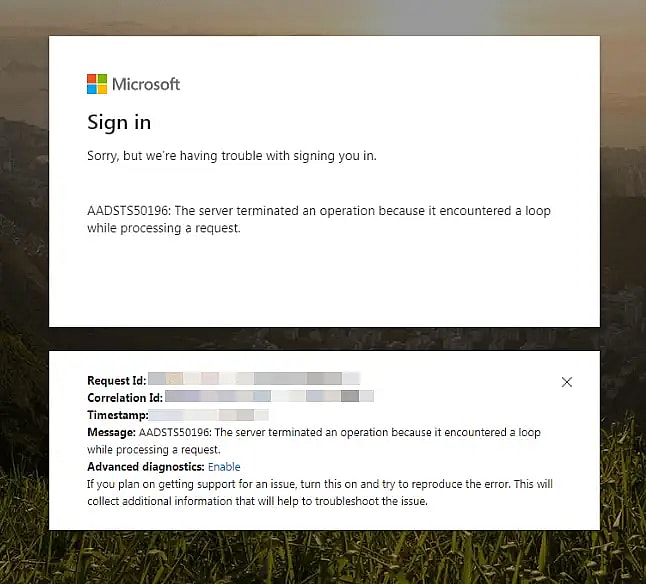
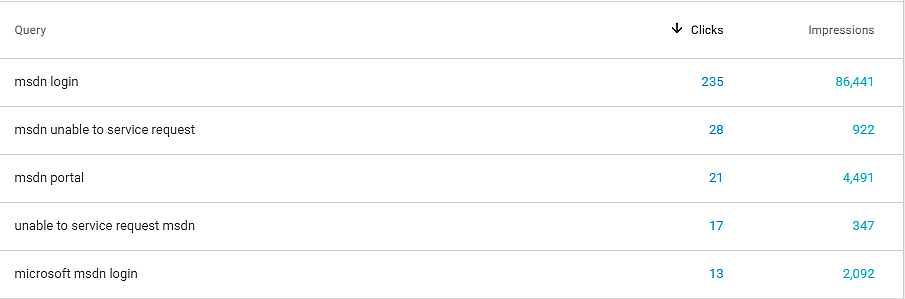
    Okay - so this one is going to be a simple blog post. I'll be explaining an apparent fan favorite! Namely, MSDN forums , MSDN subscriber downloads or other Microsoft web properties are not letting you sign in, but rather throw the following error: Unable to service request Why do you get an error like this? How to resolve it? Background
  • Cover image for Awarded MVP for Office Development
    Published on
    Authors
    koskila

    Awarded MVP for Office Development

    Late Friday night a couple of weeks ago, I got an interesting and a bit surprising email from Microsoft. Flabbergasted, I tweeted this right after: Wait, WHAT? First of all, when did #Microsoft learn to write proper Finnish, second of all, HOW DID THIS HAPPEN? :D I'm genuinely at a loss of words. Just... Thanks everyone for sparring and pushing me - I'll do my best to be worthy of y'alls trust! 🤩 #MVPBuzz #MVP pic.twitter.com/wn3EMKfrvA — Antti K.
  • Cover image for How to solve  'DbContextOptionsBuilder' does not contain a definition for 'UseSqlServer' error in .NET Core?
    Published on
    Authors
    koskila

    How to solve 'DbContextOptionsBuilder' does not contain a definition for 'UseSqlServer' error in .NET Core?

    This is another, kind of a classic and simple solution to a fairly simple problem: How to fix it, when your DbContextOptionsBuilder fails to take in your connection string and complains about UseSqlServer missing or whatever? AI-powered summary: Efficiently Solve ‘DbContextOptionsBuilder’ Error in .NET Core The ‘DbContextOptionsBuilder’ error in .NET Core arises when setting up DbContext. The ‘UseSqlServer’ method is not found during the build. The solution is to add the ‘Microsoft.
  • Cover image for Iterating Group memberships using Claims in .NET Core
    Published on
    Authors
    koskila

    Iterating Group memberships using Claims in .NET Core

    Another case, where there's plenty of documentation, but it just doesn't seem to be comprehensive enough or just doesn't apply for any of the cases that I have - for whatever reason. Maybe my cases are wrong, or I'm just bad at googling, but I've struggled to find a good page documenting this. Perfect case for another blog post about the topic, then - perhaps someone else will find it useful! This post answers the question: How to get Claims for a user in .NET Core?
  • Cover image for IE11 fails to load a (server-side) Blazor web app
    Published on
    Authors
    koskila

    IE11 fails to load a (server-side) Blazor web app

    Welp - this was not a fun issue to run into! While nobody in this day and age should use Internet Explorer for any normal usage (occasional legacy scenarios aside), there are still some luddites who do (or whose IT department makes them to). This means it's still useful, and sometimes even required, for a web application to work even in Internet Explorer.
  • Cover image for How to create a DbContext from just a connection string?
    Published on
    Authors
    koskila

    How to create a DbContext from just a connection string?

    When you're in your .NET Core project, it's always easy: you just register your DbContext in ConfigureServices, and then inject it into whichever Page, View or Controller you might need it in. However, when you have another project or solution you're working on and you'd still like to use the same DbContext and your entity classes in it, you have to find another way to do it! What should we do, then? Description Let's first take a look at the use cases and tech stack.
  • Cover image for Another year, another Hacktoberfest (2019)!
    Published on
    Authors
    koskila

    Another year, another Hacktoberfest (2019)!

    As a lot of the more frequent readers of this blog know, I generally work on proprietary - that is, non-open-source - projects. Whenever I do have some time to dabble in OSS, it's usually for a hobby. This time around, I've been really struggling to find the time to contribute to open-source projects. Last year I had just had a baby - so it's not like I was sleeping anyway.
  • Cover image for How to resolve "refusing to allow an integration to create or update .github/workflows/main.yml" on GitHub Desktop?
    Published on
    Authors
    koskila

    How to resolve "refusing to allow an integration to create or update .github/workflows/main.yml" on GitHub Desktop?

    This article explains how to fix a weird and surprising error about GitHub Actions workflow file thrown at you when you try to push your changes using GitHub Desktop. The odd part is that you had no changes to the workflow file at all. Problem Ran into this one when trying to push my merge from upstream. I was adhering to my own instructions (see below for a link), but got the error (further below) that stopped me from using GitHub Desktop to push (sync) at all.
  • Cover image for How to use the right version of the WebDriver on hosted agents in Azure DevOps?
    Published on
    Authors
    koskila

    How to use the right version of the WebDriver on hosted agents in Azure DevOps?

    We were working on getting our Robot Framework tests running during our builds on Azure DevOps. However, using hosted agents, it was quite a struggle to get all of the dependencies on the agent and make sure the tests could access the browser on the build machine. In our case, we were running the tests in Chrome. For this, we needed Robot Framework and some of its dependencies to be installed on the machine.
  • Cover image for EF Core fails to load hostpolicy.dll when RuntimeIdentifier is win-x86
    Published on
    Authors
    koskila

    EF Core fails to load hostpolicy.dll when RuntimeIdentifier is win-x86

    I ran into another interesting one when working with a .NET Core 3.0 project and Entity Framework Core - this time, RuntimeIdentifier configuration causing trouble. In short, running Update-Database (to apply code-first migrations to your local database) locally would return this, annoying error: Failed to load the dll from [runtimepath]\win-x86\hostpolicy.dll], HRESULT: 0x800700C1 An error occurred while loading required library hostpolicy.
Whitewater Magpie Ltd.
© 2026
Static Site Generation timestamp: 2026-01-27T05:13:46Z