Alright, I'm back to work, and the first days have been a bit of a whirlwind (as usual). And the excitement started when opening my trusty Dell XPS laptop.
I figured this is a great opportunity to log some real-life experience dealing with my ultra-high-spec Windows laptops, just to add the useful angle of reflecting on my daily work experience on top of the excitement of returning to work after a vacation.
Background
I had used the computer for a little bit during my vacation, so it was sleeping for a perhaps a week before today.
After dragging myself to my office and gathering the required mental fortitude to get to work again, I opened the lid, and to my delight, the machine booted up really quickly! It started without Bitlocker, straight to log-in screen, and even accepted my PIN and signed me in lightning fast... But none of the apps I had open were visible.
Okay then. I guess Windows Update had played the Russian Roulette for me again. But this time, I was somehow lucky, and the machine did NOT end up in a boot loop!
Somehow, it DID end up in a sleep state after a complete reboot, though. Windows is full of surprises.
But since I had nothing better to do (remember, I'm back to work, after all), I decided to log my experience of the startup process, and see how long it takes to get back to where I was before the machine decided to restart itself.
Recovering all apps after a Windows restart - a riveting tale of excitement!
Here's my minute-by-minute log of what happens.
| Timestamp | Event |
|---|---|
| 08:13 | Open lid, Windows loads |
| 08:14 | Enter PIN, immediately loads the desktop - wow, that was fast! I'm greeted with an empty screen. |
| 08:16 | Teams starts up - not because it's set to start with Windows, but because I had it open the last time. This is fine, within 5-6 business days it'll be usable again. I'll minimize it to see what else happens. |
| 08:17 | OneDrive starts the process of trying to start up. |
| 08:18 | Personal OneDrive crashes, Business/Work profiles are ok |
| 08:18 | WhatsApp starts |
| 08:18 | The first, very random-looking "rundll" error popups appear, probably related to Teams or OneDrive. |
| 08:19 | Edge - that I'm pretty sure wasn't open when the machine rebooted - opens up with a Microsoft Stream video that I don't think I had open a week ago.. But okay. |
| 08:19 | Notepad comes up, and it actually does remember the script I had open |
| 08:19 | Chrome opens the profile selector instead of the tabs I had open before the restart. When clicking my profile, it fails to restore the tabs, but clicking ctrl+shift+t does the trick eventually. |
| 08:20 | Outlook starts. Doesn't remember the emails I had open, but still opens 2 separate windows for good measure. Both show my Inbox. |
And after that, the startup procedure is done! Only 7 minutes to get almost back to where I was the last time I closed the lid on my laptop. That's a fantastic achievement for any Windows-machine, let alone an Intel-based one!
Of course, on Windows the only apps that ACTUALLY remember what I was doing are notepad++ and VS Code, but the latter usually fails to start.
Word, Outlook, Excel and such have no idea what I was doing, and they don't even try to re-open themselves with the computer after a reboot.
But here's the catch: the next time you open apps like Microsoft Word, it'll be very slow and recover all 5 or so documents it had open before Windows decided to restart while sleeping.
So after staring at your screen for almost 10 minutes to see which app can recover, and then suffering an extra penalty with any app you open yourself, it kind of makes you reconsider the whole "restart your computer to install updates" thing, doesn't it?
Now - let's contrast this with my experience on my budget MacBook Pro, which much lower specs compared to my Dell XPS 14.
How's a reboot look on a budget macbook?
I was lucky, as my Macbook also had some updates long overdue (story of my life, I guess), and I had a chance to let it restart and try and recover the apps I had open before the restart. Even if only to see if we can point out any differences in how the process goes!
So here's another minute-by-minute walkthrough of the process:
| Timestamp | Event |
|---|---|
| 08:26 | Machine boots up after the updates are done. Requests my password (which I promptly enter). The desktop loads and all apps are already open except for AltTab which prompts for an update to be installed. |
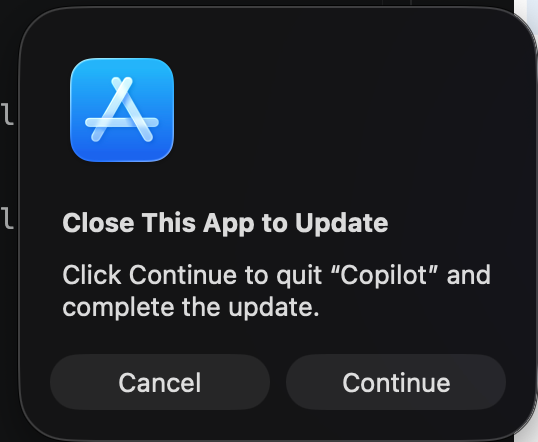
| 08:27 | AltTab updates successfully and works. Half a minute later, Copilot, Word, Excel and Outlook - all of which started successfully without any problems and recovered the documents I had open - want my help closing the apps so they can update, because for whatever reason they're unable to update themselves. I click "Continue" 4 times. Copilot, Word, Excel and Outlook all update successfully. |
| 08:27 | The computer has completely started and works. |
Man, that was really boring. Apple really are total mood killers when it comes to excitement and uncertainty. What's the fun in your laptop just working?
Follow this blog for more riveting tales about the excitement of using Windows.
Comments
No comments yet.