#SharePointProblems | Koskila.net

Solutions are worthless unless shared! Antti K. Koskela's Personal Professional Blog

All Posts

Browse all blog posts and archives

All Posts (529)

Showing 476 to 500 of 529 posts (Page 20 of 22)
  • Cover image for Solving Microsoft Teams Licensing Error "errorCodeTeamsDisabledForTenantForbidden"
    Published on
    Authors
    koskila

    Solving Microsoft Teams Licensing Error "errorCodeTeamsDisabledForTenantForbidden"

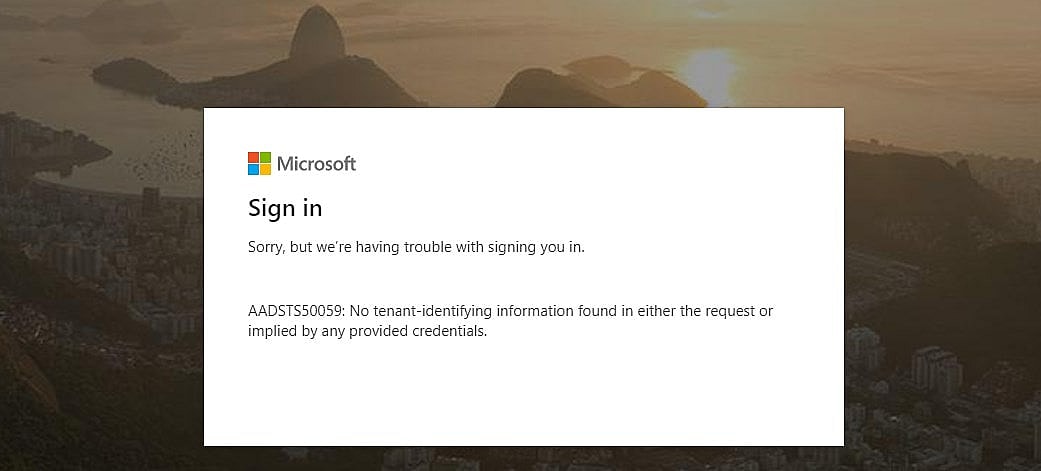
    This post explains how to fix the "errorCodeTeamsDisabledForTenantForbidden" error when trying to add guest users to the Microsoft Teams channel. This issue might arise when a user is invited to a channel in your organization's Microsoft Teams for the first time. Fixing it usually just requires just a flip of a switch, but might also include some waiting. Symptoms You get an error screen like this when trying to join a Teams channel as a guest user.
  • Cover image for SharePoint-Teams -integration using a tab
    Published on
    Authors
    koskila

    SharePoint-Teams -integration using a tab

    This post describes one possible scenario for SharePoint-Teams -integration, how to achieve that, and what kind of issues there might be. Teams? What's that? At Blue Meteorite, we at the Valo team have been leveraging Teams since early 2017 as our main communications channel. For us, it complements Yammer, email, and Skype for Business quite nicely, although to be fair, it's not always 100% clear which channel would be optimal for a certain piece of communication...
  • Cover image for How to solve errors about missing PnP Cmdlets on PowerShell
    Published on
    Authors
    koskila

    How to solve errors about missing PnP Cmdlets on PowerShell

    This blog post briefly describes how to solve some of the most typical errors about missing PnP Cmdlets when using Windows Powershell (or SharePoint Online Management Shell). Symptoms When trying to run some PnP-related cmdlet, you get an error similar to the ones below: Connect-PnPOnline : The term 'Connect-PnPOnline' is not recognized as the name of a cmdlet, function, script file, or o perable program.
  • Cover image for Fixing the "For security reasons DTD is prohibited in this XML document." issue
    Published on
    Authors
    koskila

    Fixing the "For security reasons DTD is prohibited in this XML document." issue

    This post describes a couple of ways to fix the issue "For security reasons DTD is prohibited in this XML document" . At least for me, it appeared when trying to access SharePoint Online using Powershell or a console program using OfficeDev.PnP (which in turn uses CSOM). Error When running any piece of code, whether in PowerShell, .exe console, or anything else than the code behind relies on .
  • Cover image for Unorthodox configuration: How to use VLK and Click-to-run Office Apps side-by-side (Visio and Office 2016 as an example)
    Published on
    Authors
    koskila

    Unorthodox configuration: How to use VLK and Click-to-run Office Apps side-by-side (Visio and Office 2016 as an example)

    Ever had issues with different versions of Office programs not living in harmony together? Me too! This post describes how I was able to fix the issue and get Visio and Office 2016 of different installation types to play well together. Preface This blog post was inspired by my need to have Office 365 ProPlus (2016 versions) and Visio running side-by-side on my laptop. That turned out to be a lot more complicated than it arguably should be, so I documented the steps for further use.
  • Cover image for How to prevent Outlook and other programs from stealing focus
    Published on
    Authors
    koskila

    How to prevent Outlook and other programs from stealing focus

    Imagine being deeply focused on a very important and time-sensitive task and, all of a sudden, an incoming email throws you off by jumping into focus. I am sure you don't need to imagine too hard as this has likely annoyed you in the recent past too, right? Here is a guide to help you make sure that no piece of software has the ability to "jump to the top" and activate your cursor on it, letting you carry on working on that important task without taking your focus away.
  • Cover image for USA 5: Working for Valo Intranet - and what've I been up to last few months
    Published on
    Authors
    koskila

    USA 5: Working for Valo Intranet - and what've I been up to last few months

    I haven't actually written that much about my daily work on this blog. I'm currently most involved with Blue Meteorite's North America team and specialized in partner acquisition and support. Most of my time is spent either onboarding new partners or supporting the old ones in their Valo Intranet deployments. And boy, is that not a lot of fun to do!
  • Cover image for Using SharePoint Search Query Tool
    Published on
    Authors
    koskila

    Using SharePoint Search Query Tool

    If you're working on SharePoint deployments, and aren't familiar with the SharePoint Search Query Tool, you're probably doing something wrong. Or you've got a really troublefree tenant and simple requirements.. :) At least for technical issues, it's the #1 tool for debugging what's in the index and what isn't. This blog post describes how to use it to investigate SharePoint Online Search index issues. First of all, you can get the tool from here: https://github.com/pnp/PnP-Tools/releases .
  • Cover image for EIG / Site5 review - Part 2, the Aftermath
    Published on
    Authors
    koskila

    EIG / Site5 review - Part 2, the Aftermath

    This is part 2 in my " One web developer's story about the downfall of web hosting " series - a frustrating firsthand experience with a formerly-great web hosting provider taken over by EIG (Endurance International Group). You can find the first post here: EIG/Site5 review - Part 1, experience with Site5 before and after EIG takeover I was able to actually get most of the money EIG got from me back from them by opening a Visa claim.
  • Cover image for The easiest way to debug Seed-method in Code-first migrations in Entity Framework
  • Cover image for Using Google Analytics with SharePoint
    Published on
    Authors
    koskila

    Using Google Analytics with SharePoint

    This post describes why it's beneficial to use a user analytics tool in your intranet. I use Google Analytics as an example of such a tool, and different deployment options for SharePoint intranets are covered briefly. Why would I use Google Analytics with my SharePoint intranet? In general, it's absolutely necessary for you to know your users if you want to deliver an enjoyable user experience. One key aspect of knowing them is knowing what they do, while they use your system or service.
  • Cover image for Fixing the "Could not load file or assembly or one of its dependencies" error
    Published on
    Authors
    koskila

    Fixing the "Could not load file or assembly or one of its dependencies" error

    This post describes how to fix the " Could not load file or assembly '[assemblyname]' or one of its dependencies. An attempt was made to load a program with an incorrect format. " error. The solution described in this post shows you how to resolve the issue when you're deploying from Visual Studio but get an error somewhat like the above when deploying to IIS or when opening your website after the deployment. This applies to your local development environment.
  • Cover image for Site Mailboxes deprecated on SharePoint Online - use Office Groups instead
    Published on
    Authors
    koskila

    Site Mailboxes deprecated on SharePoint Online - use Office Groups instead

    Microsoft is deprecating, or even removing one of the most widely used features in SharePoint sites - Site Mailboxes. For the end-user, this might not mean much but still requires some additional work from the administration side. In this post, I'm trying to give a rough outline, of what you (as an administrator/content producer) should do. So, what exactly is happening?
  • Published on
    Authors
    koskila
    Tags
    culture

    USA, 4: You really, REALLY need a car to get around. Hence, Cadillac!

    This is the fourth post depicting my and my wife's excursion to the USA. We are in the country to study, travel, business and leisure. The short version of the post: we went and got a car because we didn't have any other options. So, what's up? We've been in the country for a couple of weeks. If there's one thing, that's become painfully clear, it's the fact that you really need a car to get anywhere in this country.
  • Cover image for USA, 3: Epic and local IT industry excursions
    Published on
    Authors
    koskila
    Tags
    culture

    USA, 3: Epic and local IT industry excursions

    This post is about our first excursion with the international student group to see Epic System's HQ. During the first days, I also walked around the town a bit in search of wall plug adapters and accidentally made contact with the local IT industry. Getting my weird EU tech working in the States I took some tech with me to the States - namely a laptop, its dock, and a couple of mobile phones.
  • Cover image for Fixing Lenovo T460S Wifi connectivity issues (removing the evil versions of Intel Dual Bank Wireless-AC 8260 driver)
    Published on
    Authors
    koskila

    Fixing Lenovo T460S Wifi connectivity issues (removing the evil versions of Intel Dual Bank Wireless-AC 8260 driver)

    I recently received a new work laptop - Lenovo T460S. A cute little thing with impressive performance and reasonably good battery life. However, what people frequently complain about online in regards to this laptop, is its absolutely, horribly awful wifi. This, in turn, is probably caused by its bad wifi chip, Intel Dual Band Wireless-AC 8260. And they're right - it's a load of crap.
  • Cover image for USA, 2: Traveling to Chicago O'Hare for Business and Leisure
    Published on
    Authors
    koskila
    Tags
    culture

    USA, 2: Traveling to Chicago O'Hare for Business and Leisure

    This is the second post about my and my wife's excursion to the USA and all the traveling we have done. We'll be spending 6 months in the country, to study, attend conferences, travel, and compare the culture to Finland. Hopefully, we will learn something about ourselves and the world along the way! Transatlantic flight The trip from Kangasala to Whitewater was definitely not a fast one.
  • Cover image for Getting Connect-MsolService (and other Azure Active Directory PowerShell cmdlets) to work
    Published on
    Authors
    koskila

    Getting Connect-MsolService (and other Azure Active Directory PowerShell cmdlets) to work

    In this post, I'll try to archive everything that you need to download and install to get commandlets like Connect-MsolService working. I've had to do it a couple of times when changing laptops, so it's good to document them somewhere! :) So, when would you need to follow this guide and install the modules described here?
  • Cover image for USA, 1: Initial Thoughts
    Published on
    Authors
    koskila
    Tags
    culture

    USA, 1: Initial Thoughts

    I'm staying in the United States of America for the first 6 months of 2017 for both work and leisure. In case you'd need to contact me during that time, that's doable by normal means (Twitter/email). Just the timeframe's a tad different due to my location being 8 hours from Finland (-6 UTC time zone). This blog post kind of sets the initial mood and expectations for the trip. Excuse me - who's doing what? So - we are going to the United States. But why? Well, that's a valid question.
  • Cover image for EIG/Site5 review - Part 1, experience with Site5 before and after EIG takeover
    Published on
    Authors
    koskila

    EIG/Site5 review - Part 1, experience with Site5 before and after EIG takeover

    This article is part 1 in my " One web developer's story about the downfall of web hosting " series; a frustrating firsthand experience with a formerly-great web hosting provider taken over by EIG (Endurance International Group). You can find the second post here: EIG / Site5 review - Part 2, the Aftermath Okay, so this is going to be a bloggish rant about EIG - Endurance International - a web "hosting" company that's ruining the web for everyone.
  • Cover image for Remove-SPODeletedSite - Actually removing a SharePoint Online Site Collection
    Published on
    Authors
    koskila

    Remove-SPODeletedSite - Actually removing a SharePoint Online Site Collection

    This post describes the actual, working, and the fast process of removing a site collection in SharePoint Online using the Remove-SPODeletedSite commandlet in SharePoint Online Management Shell (a flavor of PowerShell). Description Sometimes you need to get rid of a site collection you've created in SharePoint Online. The most typical example perhaps is removing the team site created for a group of people working together. That's pretty simple and there are a few ways of doing that.
  • Cover image for Launching a new debugger instance from code in Visual Studio
    Published on
    Authors
    koskila

    Launching a new debugger instance from code in Visual Studio

    This post describes a quick solution to launching a new Visual Studio instance for debugging the code. There are a lot of applications for this, but where I've found it exceptionally useful, has been in debugging the Entity Framework's code-first migration (one of the ways for database initialization) Seed-method . It is by default undebuggable, as when you are running Update-Database you can't really use a -debug switch or anything, and there's really no way to launch the debugger.
  • Cover image for Fixing the "No Entity Framework provider found for the ADO.NET provider with invariant name 'System.Data.SqlClient'" error
    Published on
    Authors
    koskila

    Fixing the "No Entity Framework provider found for the ADO.NET provider with invariant name 'System.Data.SqlClient'" error

    This post describes the fix to THE " No Entity Framework provider found for the ADO.NET provider with invariant name 'System.Data.SqlClient' " error, which Visual Studio throws at your face when you try to run an application on any Windows-based system (or which you've dug out of event logs). Also, your application is probably built on .NET Framework and Entity Framework. Let's get into it!
  • Cover image for Using Dispatcher to update values in GUI elements from a background thread
    Published on
    Authors
    koskila

    Using Dispatcher to update values in GUI elements from a background thread

    If you're developing something like a WPF app and you need to update values on the User Interface based on a long-running operation that runs in a background thread (like depicted in my other blog post right here - that post is for a full-trust SharePoint solution, but the basic principle is the same!). yOU probably need to use Dispatcher, or otherwise, you'll run into issues with the GUI elements being owned by another thread, and therefore forbidding access to them.
  • Cover image for Disabling Delve/MySite redirection from SharePoint Site Collections
    Published on
    Authors
    koskila

    Disabling Delve/MySite redirection from SharePoint Site Collections

    In this post, I outline a simple way to stop SharePoint (either on-premises installation or SharePoint Online) from redirecting to Delve or MySites (respectively). The normal behavior is, that this happens when users click any name of a user anywhere in SharePoint. This is often not desired, and sometimes just confusing or impractical. Problem If your customers are like mine, a lot of them hate Delve or MySite, or both. Or maybe they just aren't willing to yet adopt Delve.
Whitewater Magpie Ltd.
© 2026
Static Site Generation timestamp: 2026-01-27T05:13:46Z