Help! My Frontier Office Agents disappeared! What do?
Did your Frontier Office Agents vanish without a trace? Don't panic—you're not alone. Many Microsoft 365 users have experienced the frustration of losing access to their custom Frontier Agents. The good news? They're not gone for good. In this guide, we'll show you exactly where your missing Office Frontier Agents went and how to find them again using the Microsoft 365 Admin Center.
Background
So you had access to the Frontier Office Agents in your Microsoft 365 tenant. You could even use them in Teams and other Microsoft 365 apps to create different, well, Office documents.
But suddenly, poof! They are gone.
When searching for your Office Frontier Agents in the Teams Desktop app, Teams web app (https://teams.microsoft.com) Microsoft 365 Copilot app (formerly known as "Microsoft 365 app" or the "Office app"), the Copilot app (they shouldn't be there anyway), Copilot Chat (https://copilot.microsoft.com), or at Microsoft Copilot Chat (https://m365.cloud.microsoft/ or https://copilot.cloud.microsoft/), you can't find them.
What you CAN find, is some other "Frontier" agents:
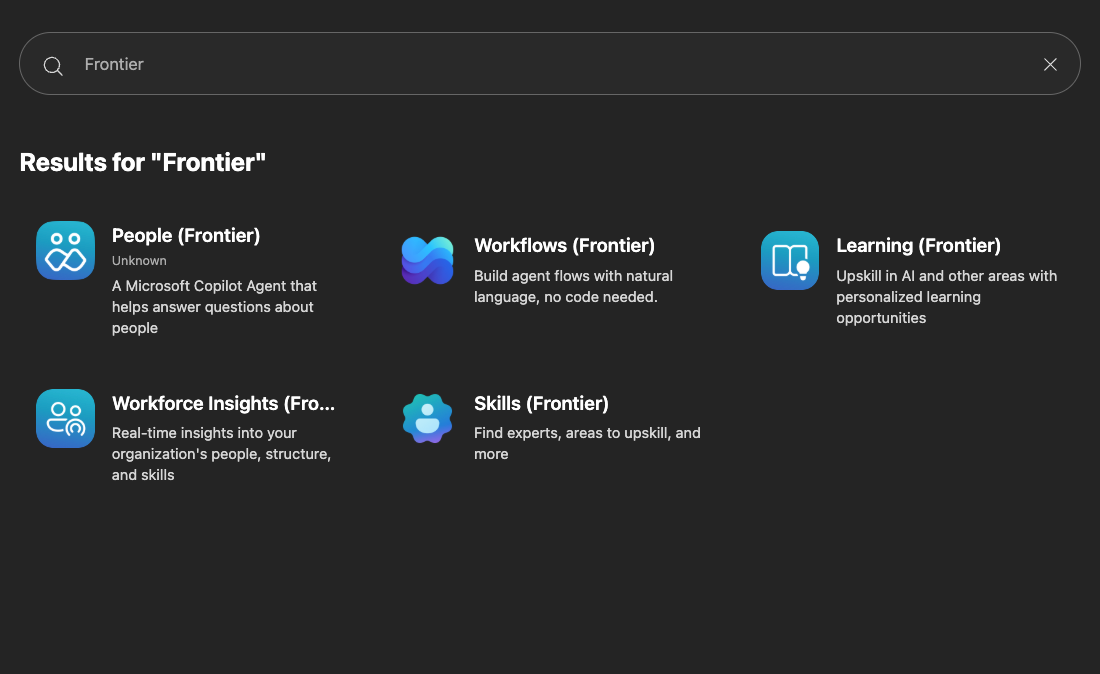
(And if you can't see even these, then your tenant might not be enrolled in the Frontier* program at all!)
And you could SWEAR you had them before! Did you misplace them? Did Microsoft delete them? Are they gone forever?
Well, no, the good news is that they're not gone. They are just hidden.
If you navigate to the Microsoft 365 Admin Center (https://admin.microsoft.com), and then go to "Agents" -> "All Agents" and actually search for them
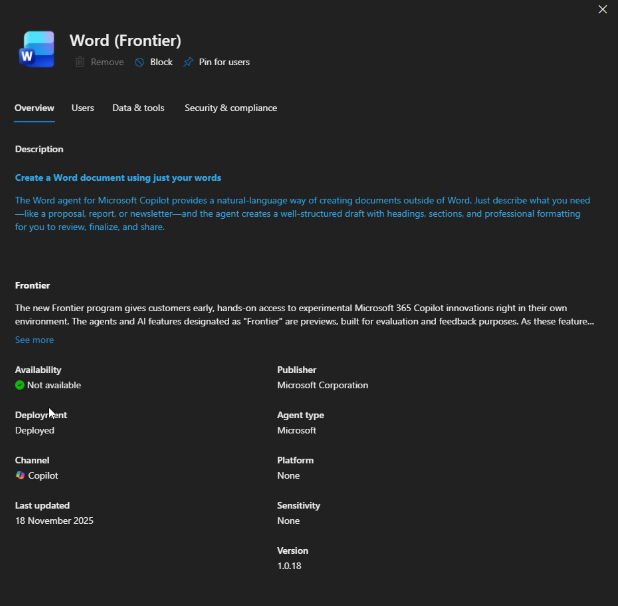
I particularly like the cheery: "✅ Not available" status.
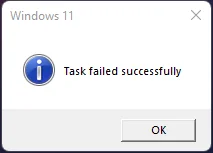
Gives the classical "Task failed successfully" vibes.
Reason
You didn't misplace them. And Microsoft didn't delete them either.
What happened is far less dramatic: Microsoft turned on new tenant-level gatekeepers for the AI subprocessors that Frontier agents rely on. If your tenant hasn't opted in (twice), or has compliance/data‑residency rules that block those subprocessors, the Admin Center simply hides the Frontier agents so they can't be used. In plain English: Microsoft put your shiny AI toys back in a locked cupboard until someone with admin powers signs the paperwork or flips the switches.
What changed:
- Microsoft now requires tenants to allow specific "connect to AI subprocessor" connections and relevant admin consents before certain Frontier AI features can run.
- Tenants with stricter data-processing or residency controls may be automatically excluded until those controls are adjusted.
How this affects customer tenants:
- Users may notice Frontier agents missing from Teams, Copilot, and other apps — they aren't gone, just unavailable.
- Admins will need to review and, if policy allows, enable the AI subprocessor connections and accept any required agreements or consents in the Microsoft 365 Admin Center.
- Tenants that intentionally block these subprocessors (for compliance or privacy) will continue to be restricted; this is a feature, not a bug.
Solution
Short checklist for admins:
- Verify tenant enrollment in the Frontier/preview program and that the tenant is permitted to use the relevant AI features:
- Open Microsoft 365 Admin portal
- Copilot > Settings > User access -> "Copilot Frontier"
- Enable for appropriate users
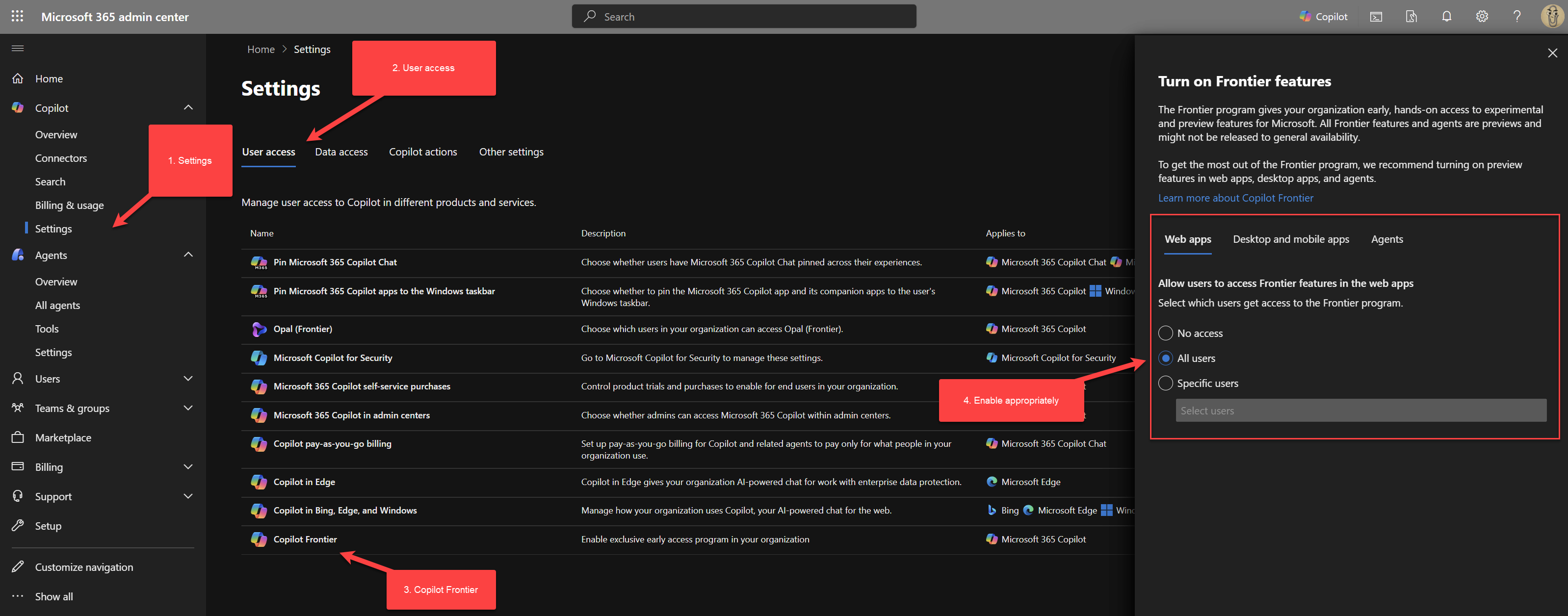
- In the Microsoft 365 Admin Center, review AI/Copilot-related organization settings and any "connect to AI subprocessors" or data-processing consent controls; enable the required connections if your org policy allows.
- Open Microsoft 365 Admin portal
- Copilot > Settings > Data access -> "AI providers operating as Microsoft subprocessors"
- Enable Anthropic as a sub-processor
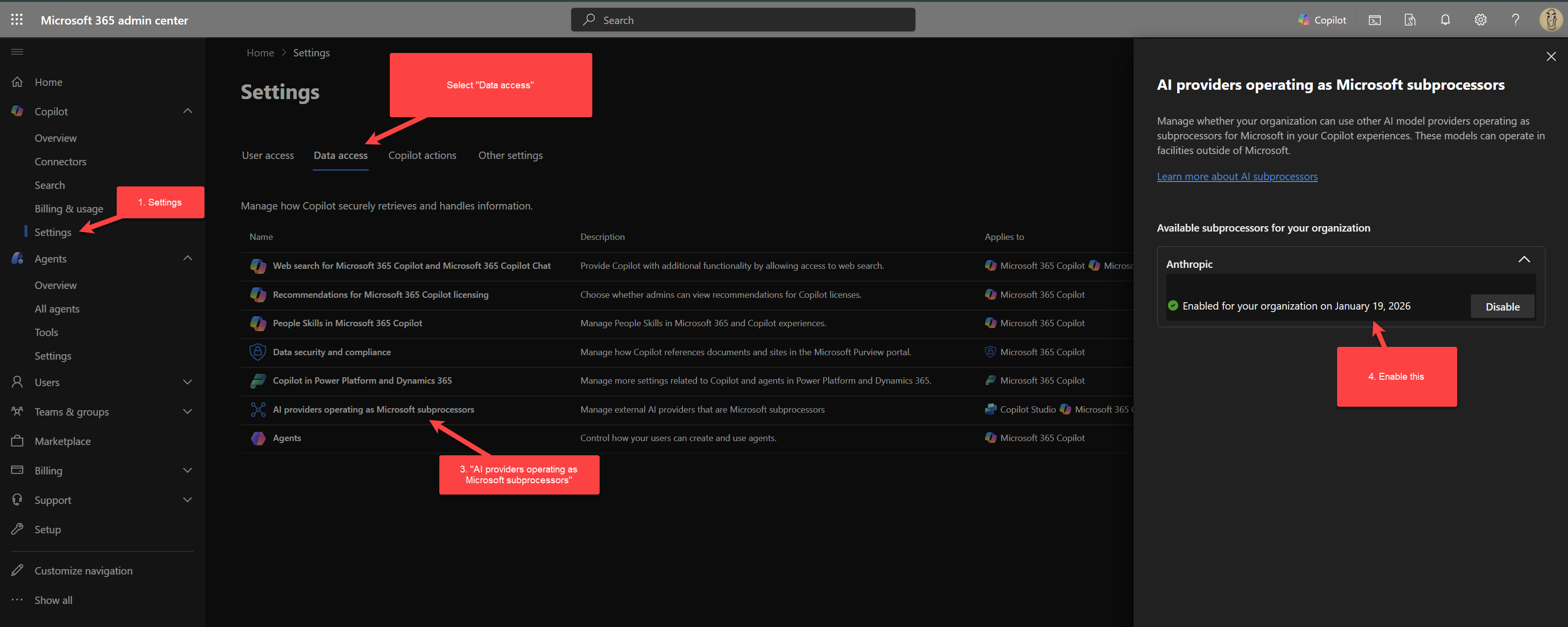
And that should be it! You should have the Frontier agents available to you:
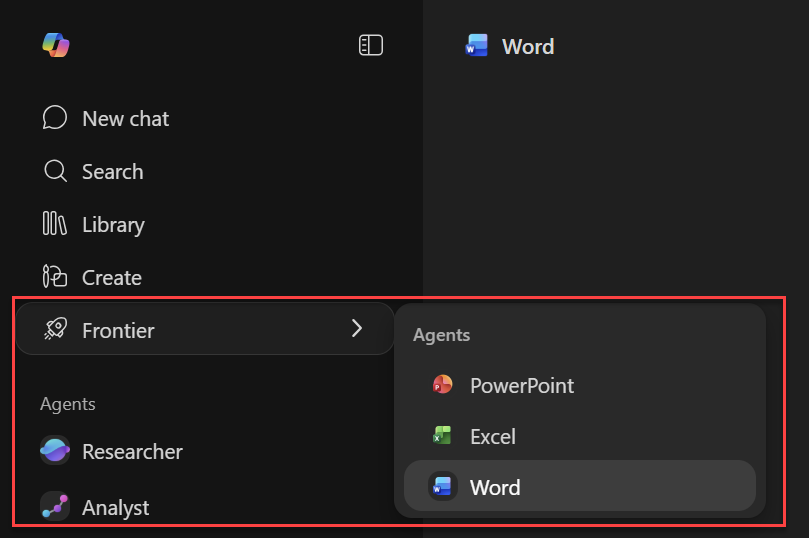
(YES! They also moved to this menu now. Because of course they did!)
Footnotes
* The "Frontier" program is Microsoft's codename for the early access program for "the latest AI innovations in Microsoft 365". Think of it as a sort of "Insider Program" for AI features in Microsoft 365. And while Microsoft does NOT call it "program" or "preview" or "insider", it is effectively the same thing. And the name is not "Microsoft 365 Frontier" for whatever reason, or even "Microsoft Frontier", but just "Frontier".
Comments
No comments yet.