This article explores the problematic task of adding an online calendar to New Outlook (NEW), and how to work around the issue by using Outlook on the web (OWA) instead.
Background
Now, unlike in Windows (at least in theory), on a Mac you can't change the default calendar app to something else than Apple Calendar. So if you click on a calendar link in an email, it will open in Apple Calendar - and if you want to subscribe to an online calendar, you better subscribe to it in Apple Calendar.
It is the only calendar app you need, and if you disagree, you're holding it wrong, peasant.
Anyway, so I opened the New Outlook for Mac (NEW), and tried to subscribe to the calendar from the classic "Add Calendar" button. It should come with a "From Internet" option, which allows you to subscribe to an online calendar by providing its URL.
I don't know if I've got Steve or Bill to blame for this, but the "From Internet" option is missing in NEW. So, no subscribing to online calendars in New Outlook for Mac.
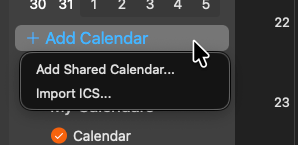
What do?
Reason
Like Microsoft always says, this is the power of native development paired with the speed of web development. "Native development" meaning Electron or any other JavaScript-based framework, and "web development" meaning you need to change to the last framework every week instead of shipping features.
I mean, the New Outlook (NEW) isn't that new anymore, but it does not - and will not - have the features that the classic Outlook has.
Why? Because many of the less-important features are simply not prioritized - and my guess is that "From Internet..." is probably ever even seen by less than 1% of users, and clicked by less than 0.1% of users.
I bet that's even less than the percentage of users who have intentionally clicked the Copilot-key on their AI minus / Copilot Plus laptops - and I don't know a single person who has done that.
Anyway, Microsoft kind of confirmed the (de)prioritization themselves, while pushing back the deadline for switching to New Outlook for Mac, all the way to - drumroll, please - April 2029 (*).
Now, I do like many of the features in the New Outlook. Copilot works nicely, and the randomly changing styles and themes are a nice reminder of the fact that your machine is not really "yours", but a shared resource that Microsoft can (and will) change when they please.
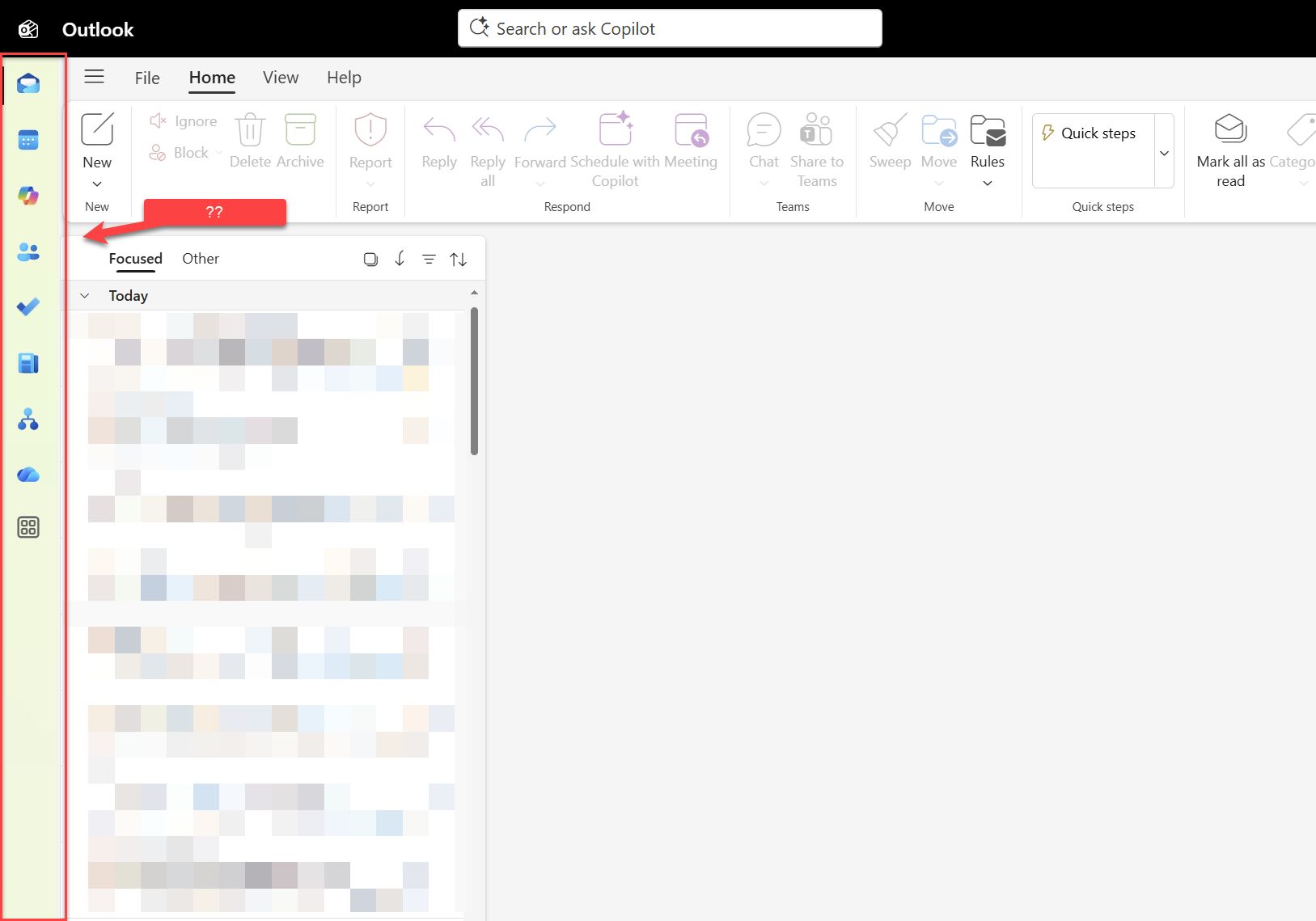
Still - the fact that New Outlook for Mac (NEW) can't subscribe to an online calendar is annoying.
But like always... There's a workaround!
(If there wasn't, I wouldn't be writing this blog post - I'd just be sending angry bug reports to Microsoft, screaming at the void and hoping that they will fix it in a future update.)
Solution
Okay, the solution is simple! And it starts by acknowledging that New Outlook for Mac (NEW) might never serve you well, if you like using calendars.
"Calendar" is not what you use Outlook for. You use Outlook for Copilot, and the Copilot panel (and other functionality) in New Outlook is actually really good.
So, if you want to subscribe to an online calendar, you do that in Outlook, or as it was formerly known, "Outlook on the web", or as it was formerly known, Outlook Web App (OWA), or as it was formerly known, Outlook Web Access (OWA).
So, in short - to add an Online/Internet/Web calendar to your New Outlook, add it in OWA (Outlook on the web).
And here's how to add an Online/Internet/Web calendar on Outlook on the web / OWA:
- Click on the Calendar icon in the left sidebar to go to the calendar view (or just go to https://outlook.cloud.microsoft/calendar/view/week)
- In the left pane, click on "Add calendar" (or "Add calendar" button at the top of the calendar view if one is available to you).
- Select "Subscribe from web"
- In the view that opens, you've got a text box where you can paste the URL to your online calendar.
- Click "Import"
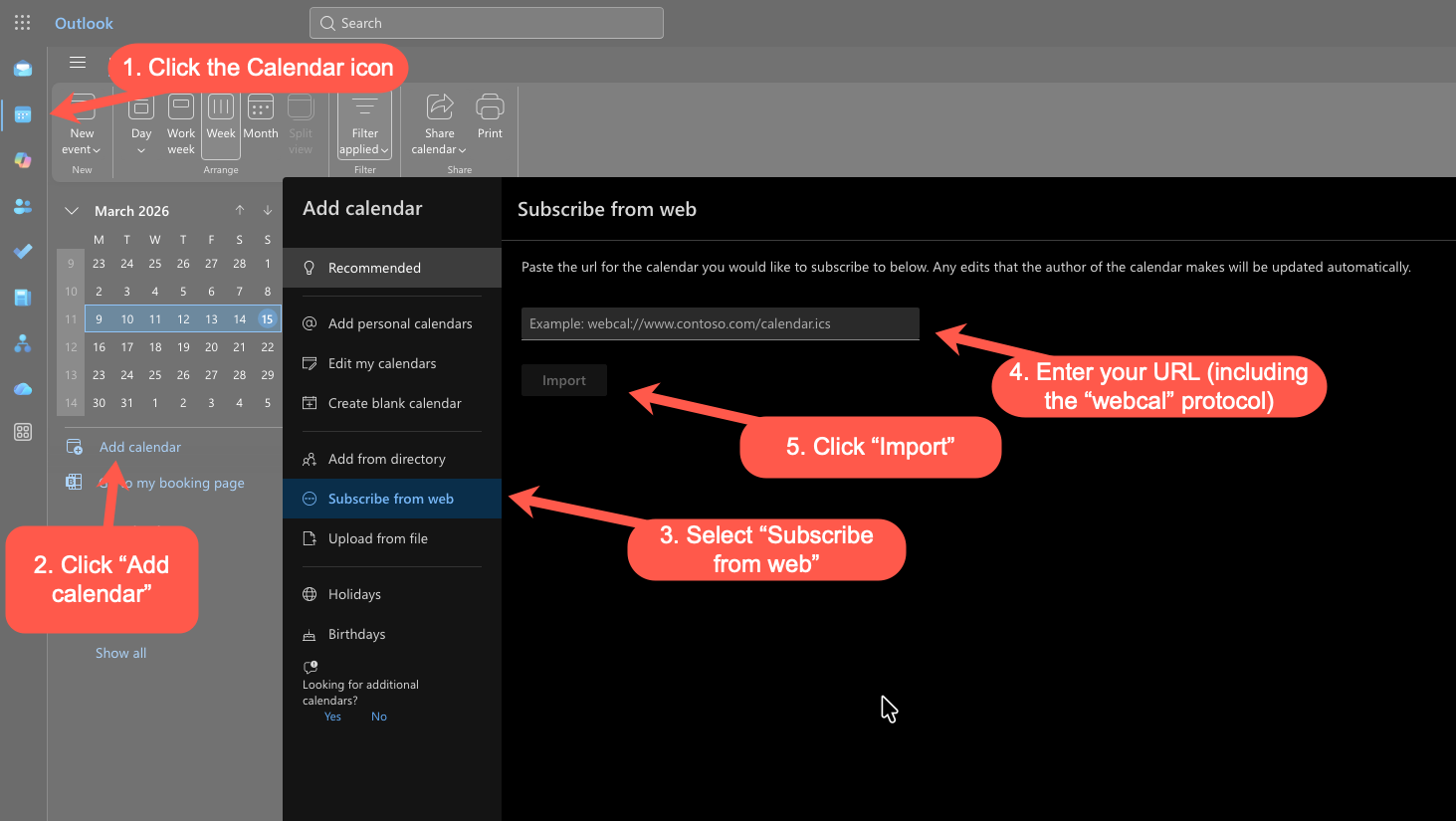
Et voila! Now you'll have the calendar available under your "Shared calendars".
And now you can get back to New Outlook (NEW), and the calendar will just magically appear.
And if it doesn't, just uninstall that sad excuse of an app and use the web view instead.
References
(*) https://www.windowslatest.com/2026/03/06/windows-11s-new-outlook-still-isnt-ready-for-prime-time-as-microsoft-says-it-wont-force-web-app-on-enterprises-until-2027/ and https://learn.microsoft.com/en-us/microsoft-365-apps/outlook/get-started/guide-product-availability
Comments
No comments yet.