Ever thought Azure CLI was your reliable sidekick on Windows? Ha! You'd think so, until "Decryption failed: Key not valid for use in specified state" hits you out of nowhere.
Fear not, though; for this is not just another Windows woe, but instead another fun trip down the rabbit hole that is authentication in the Microsoft world!
In this article we walk through a real-world occurrence of that failure: how the issue presents itself and how you can get your machine back to working condition the easiest.
Background
Azure CLI usually just works.. Until it doesn’t.
On Windows, that is. I haven't had it break on my Mac yet, although I'm sure that day will come too.
Yet there I was, getting some work done on Windows for a change - doing some regular old private cloud maintenance stuff for a customer, using our trusty cli tooling, which in some commands has a dependency on the Azure CLI.
And magically, everything was going just fine!
Think of my delight, when I booted up my Windows laptop fearing the worst, but all of my commands actually ran just fine.
Until, suddenly, in the middle of a series of az cli commands... It all broke down.
It's puzzling enough to actually be kind of impressive: One command works just fine. The next one claims: "Decryption failed: Key not valid for use in specified state."
No matter. Azure cli is a finicky beast, but we'll tame it. And I actually do have a theory as to why this happened.
But before that, let's take another look at the problem at hand!
Problem
On Windows you may suddenly see cryptic failures like "Decryption failed: Key not valid for use in specified state" followed by Python/DLL import errors, and a perfectly fine sequence of commands can apparently cause your Azure CLI to commit sudoku - effectively mid-sentence.
So, in short, after you run a command (can be any az command that requires being authenticated), you suddenly get this:
ERROR: Decryption failed: [WinError -2146893813] Key not valid for use in specified state. App developer may consider this guidance: https://github.com/AzureAD/microsoft-authentication-extensions-for-python/wiki/PersistenceDecryptionError
Please report to us via Github: https://github.com/Azure/azure-cli/issues/20231
Note, that you're not the app developer here! Don't click either one of the links or you'll just end up getting more depressed.
Don't believe me? The first one isn't really related. The second one is related but depressing. It's a discussion that's been going on since 2021 with people reporting it's broken and plenty of workarounds shared - none of which work.
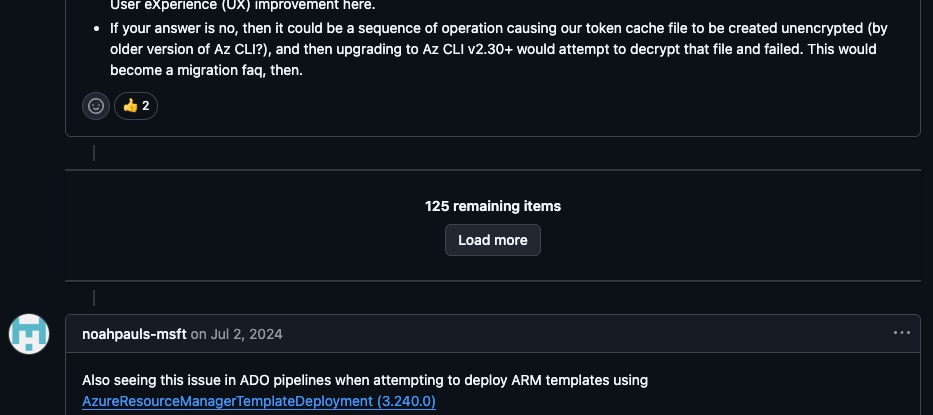
And it gets better - because this is semi-actively still going on.
That is, not actively enough for the Azure CLI team to actually fix it (this is not a complain - I get the need for prioritization), but actively enough that new people keep reporting it.
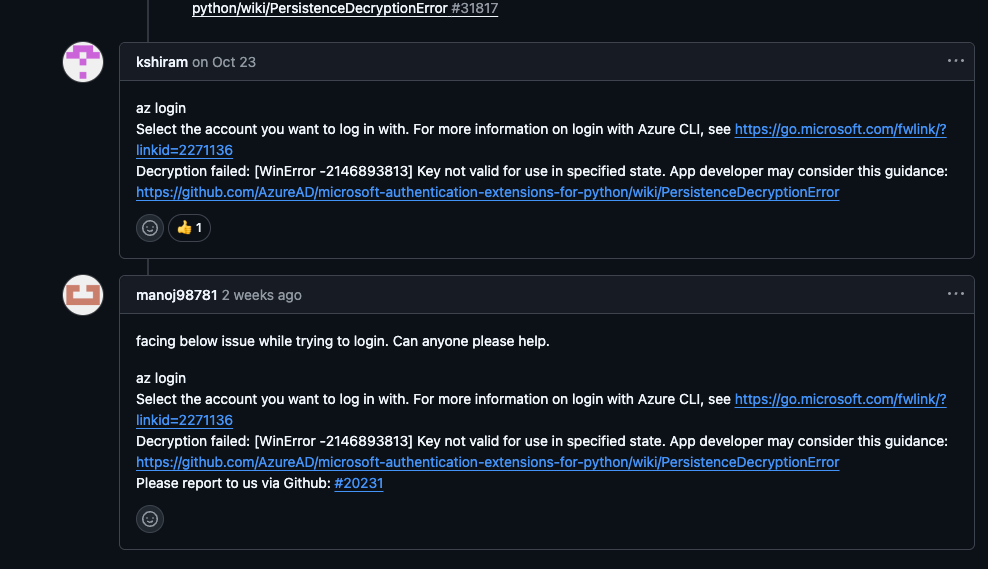
Anyway - you could do what I did, and try to follow the guidance in the thread. But you probably shouldn't, because chances are none of it will apply to you in 2025.
But I did.
And when I decided to do the right thing - e.g., run az upgrade to try and fix it, I got this gem:
az
Traceback (most recent call last):
  File "<frozen runpy>", line 198, in _run_module_as_main
  File "<frozen runpy>", line 88, in _run_code
  File "D:\a\_work\1\s\build_scripts\windows\artifacts\cli\Lib\site-packages\azure/cli/__main__.py", line 13, in <module>
  File "D:\a\_work\1\s\build_scripts\windows\artifacts\cli\Lib\site-packages\azure/cli/core/telemetry.py", line 19, in <module>
  File "D:\a\_work\1\s\build_scripts\windows\artifacts\cli\Lib\site-packages\azure/cli/telemetry/__init__.py", line 9, in <module>
  File "D:\a\_work\1\s\build_scripts\windows\artifacts\cli\Lib\site-packages\portalocker/__init__.py", line 4, in <module>
  File "D:\a\_work\1\s\build_scripts\windows\artifacts\cli\Lib\site-packages\portalocker/portalocker.py", line 11, in <module>
ImportError: DLL load failed while importing win32file: The specified module could not be found.
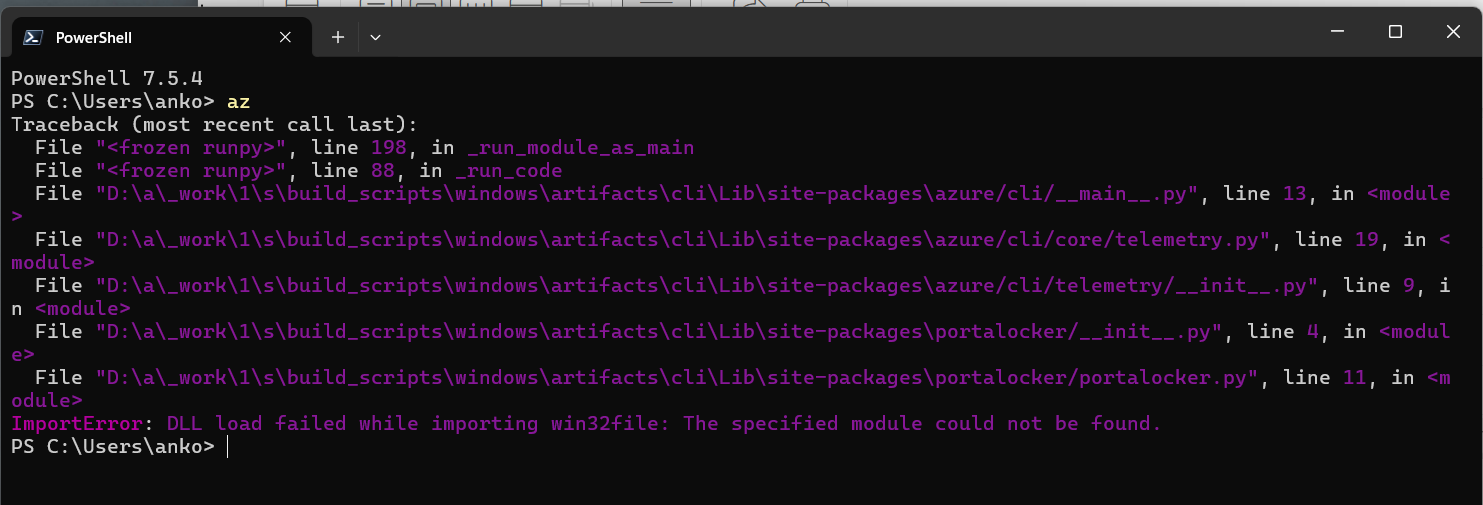
Amazing. Another thing that has yet to fail on me when I'm using it on a mac, but keeps breaking if I try doing the same on Windows.
I even tried uninstalling and reinstalling Azure CLI using winget, but that changed absolutely nothing:

But fear not - there is an actual solution. And one that makes sense if you stop to think about it!
Solution
The solution is honestly quite simple: Do not try to fix it.
And I'm not saying this as a part of a "ha-ha funny" joke like "just open az cli on your mac and you'll be good".
That might be the truth, but it might also be infeasible. Because maybe you need to use Internet Explorer to do an interactive sign in? Can't do that on a mac!
Take that, Apple fanboys! Take your smooth brains where the Internet Explorer doesn't grow.
Anyway - do not start fixing pip. Do not mess with your computer's time. Do not modify your PATH. Do not nuke your az profile folder. Do not uninstall and reinstall Azure CLI.
The solution is much more simple than that - and for once, no rebooting required!
... but first, let's take a look at my theory why this happened - as the fix will only apply if your case matches mine.
How did Azure CLI break... This time?
The root cause of this issue lies in the "broker" that Azure CLI uses on Windows systems to interface with Microsoft's Web Account Manager (WAM).
WAM is an authentication broker primarily used on Windows systems. It acts as a secure intermediary between applications (like Azure CLI) and Microsoft's identity services, such as Entra ID (AAD). In theory, WAM handles the complexities of user authentication, token management, and credential storage, enabling seamless and secure access to Microsoft services without users needing to repeatedly enter login details.
It was set to be the default login experience for Azure CLI on Windows starting from version 2.61.0, released in mid-2024. And as long as nothing goes wrong with WAM, it works GREAT!
But... How's WAM implemented?
My understanding of the implementation is as follows:
- Technical Details:
- Azure CLI uses the Microsoft Authentication Library (MSAL) which integrates with WAM on Windows.
- WAM communicates with Entra ID using OAuth flows, encrypting tokens with keys tied to the user's Windows account state (e.g., via DPAPI or TPM).
- Process Flow:
- When you run az login, the CLI initiates an OAuth request.
- WAM handles the authentication dialog (e.g., prompting for credentials or biometric input).
- Upon success, WAM securely stores the refresh token in a protected store (not directly accessible to the CLI).
- For subsequent commands, the CLI requests tokens from WAM, which decrypts and provides them if the user's state (e.g., login session) is valid.
This is great, as long as your there are no bugs in Windows affecting WAM, and as long as there's no discrepancy between the user's current state and the state when the tokens were stored. So as long as all of the stars STAY aligned, everything works just fine.
The linked article and GitHub issue don't go into details as to why this happens, but my theory is that something changed in my Windows user profile (a password change, domain rejoin, or similar) that caused WAM to no longer be able to decrypt the stored tokens - hence the "Key not valid for use in specified state" error.
And to make matters worse, I was using an account that's NOT added to my Windows to log in. See, Windows limits the number of Work accounts added to Windows to... Drumroll please... 3.
I'm a consultant. How many accounts do you think I have to deal with on a regular basis? 3 isn't even enough for my PERSONAL work accounts, let alone professional ones... And there's room for zero customer accounts in that limit.
And here I was, trying to log in with an account that wasn't added to Windows (because it didn't use to have to be added). And WAM probably had a really hard time trying to figure out what to do with it when the refresh token suddenly expired.
So - now we know the culprit. How do we fix it?
How to fix ERROR: Decryption failed: [WinError -2146893813] Key not valid for use in specified state.
It's actually really quick and easy.
Just contact every single customer you have, and ask them to invite your primary work account to their Entra ID as a guest user.
Then contact your IT department and guide them through a 15-year, multi-million dollar project to migrate all of the company systems to use that single Entra ID tenant for everything.
Or... You could just get rid of WAM, because that's the thing breaking your workflow!
And here's how to do just that:
- Disable the broker:
az account clear
az config set core.enable_broker_on_windows=false
az login
- Restart Terminal (or whatever terminal host you're using)
- Run az - and you should be good.
No complications - just disable the too-fancy-for-its-own-good broker and go back to the old way of doing things.
(Not something I'd recommend if the new way worked, but hey - beggars can't be choosers... And on Windows, I'm definitely 100% a beggar when it comes to Azure CLI!)
Comments
No comments yet.