My 2025 Holiday Special - Windows 11 set-up fun!
My Windows 11 machine decided to go belly up just before Christmas, so I got to have some fun reinstalling Windows from scratch.
I was hoping for a MacBook Pro for Christmas, but alas - it seems that Satan got me a fresh Windows installation to deal with instead.
In this article I'll describe what happened and share my experience setting up a fresh Windows 11 installation — it wasn't pleasant.
Maybe this will serve as feedback for Microsoft to improve the Windows setup experience. Or perhaps my venting will simply be a fun read while you sip your glühwein/glögg/eggnog(*) over the holidays.
What happened
A day before embarking on a holiday trip, I powered on my Dell XPS Max Ultra Plus(**) laptop, just to make sure it's ready to go with me. But instead of booting into Windows, the machine was repeatedly starting up, and simply rebooting itself - with the screen staying black all the while.
This is not great. But also not entirely unexpected, as Windows 11 tends to occasionally get stuck on startup.
This almost always resolves itself by itself after a few reboots, or by initiating a hard shutdown (also called a power cycle) by holding down the power button for 10 seconds, and then powering it back on.
The boot loop
The first sign that things were not going to be simple, was that after several hard shutdowns and power-ons, the machine instead booted into a BitLocker recovery screen:
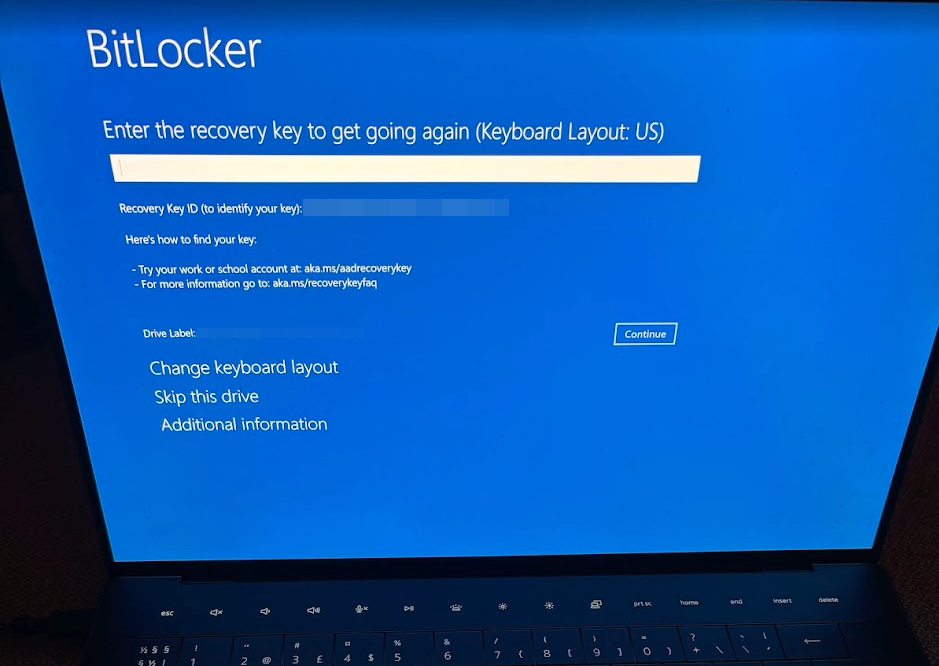
After painstakingly entering the recovery key (which I thankfully always back up manually, since I've never seen the automatic Entra ID -backup work), the machine then decided to tell me it's "Diagnosing your PC".
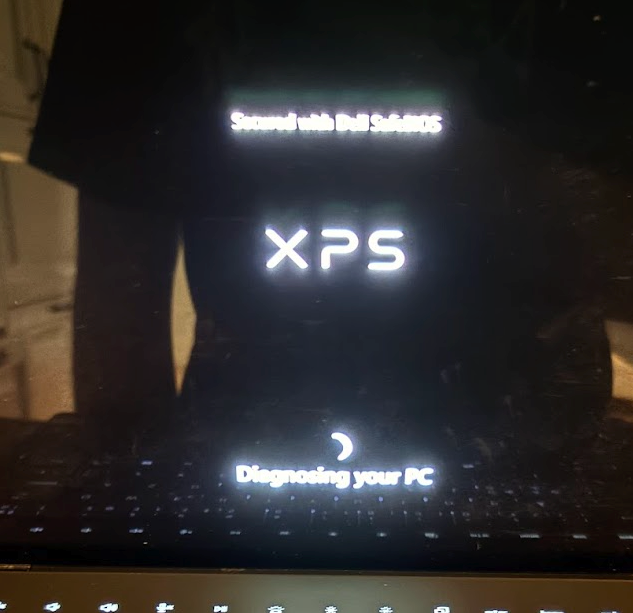
After what felt like an eternity, the machine then booted into the Dell SupportAssist recovery environment.
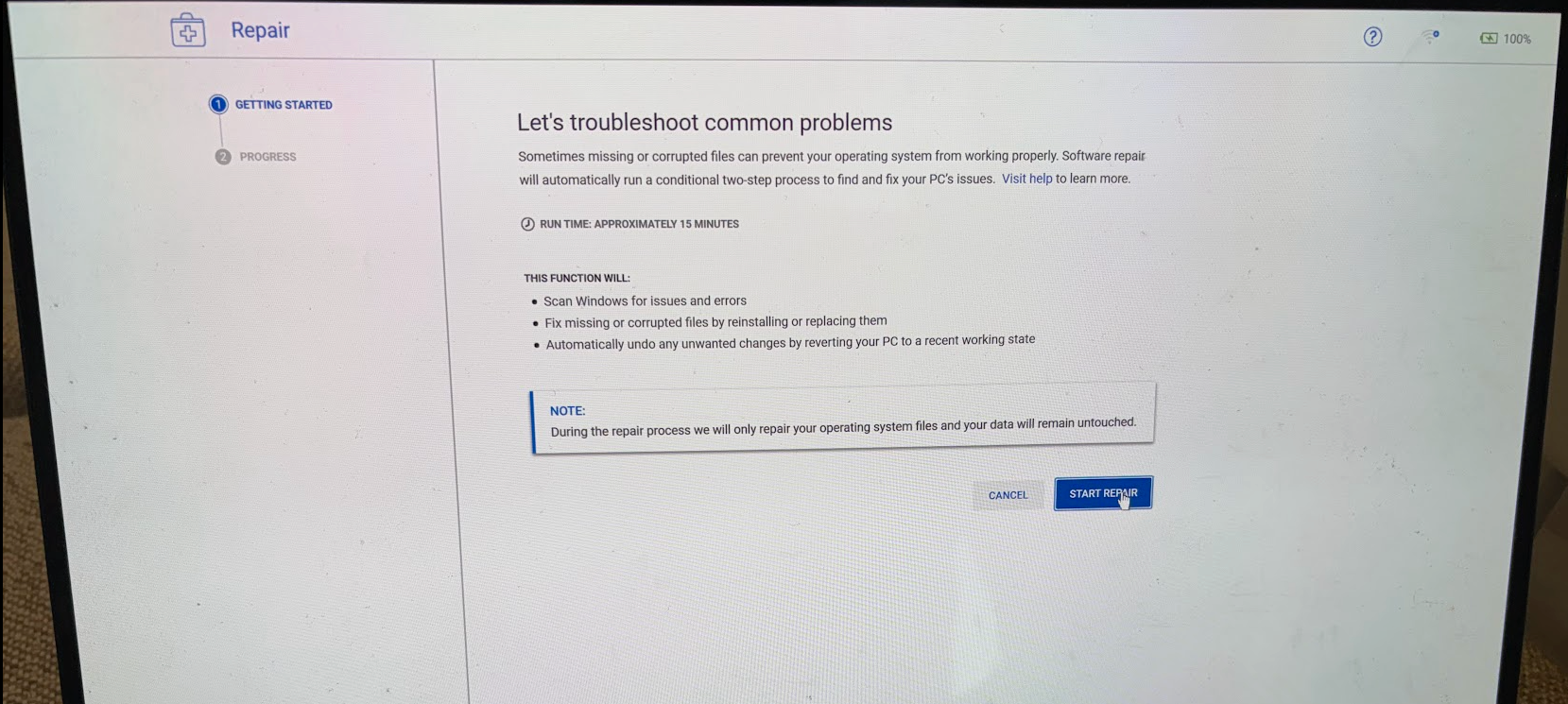
The next thing "the support assistant" did, was lie to me.
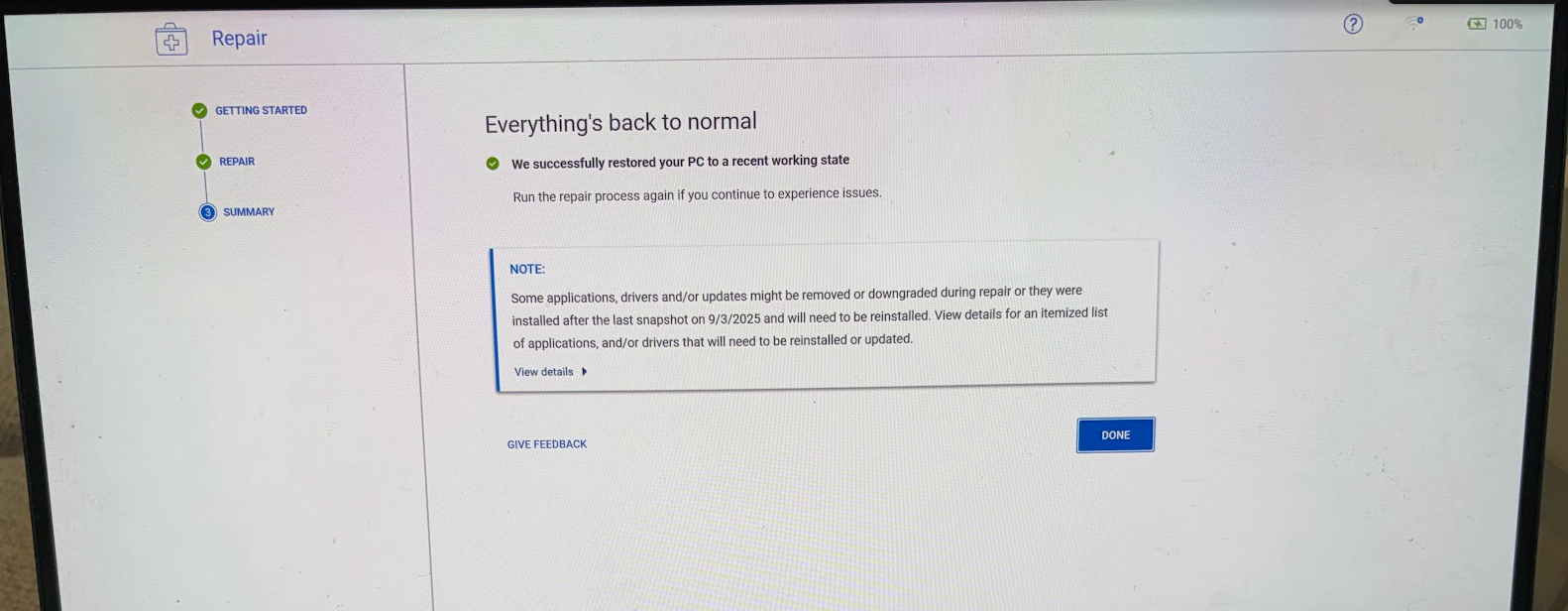
Pretty blatantly, too. Because the machine certainly still did NOT start.
Instead, I got to see this lovely screen:
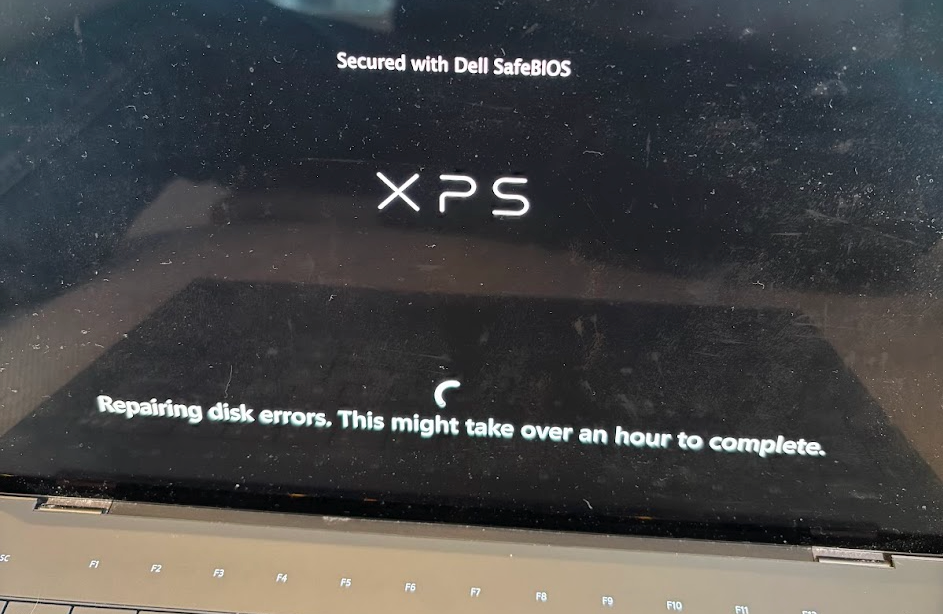
.. so now we have DISK ERRORS as well?
After thinking about it for a while, Windows finally was able to diagnose itself:
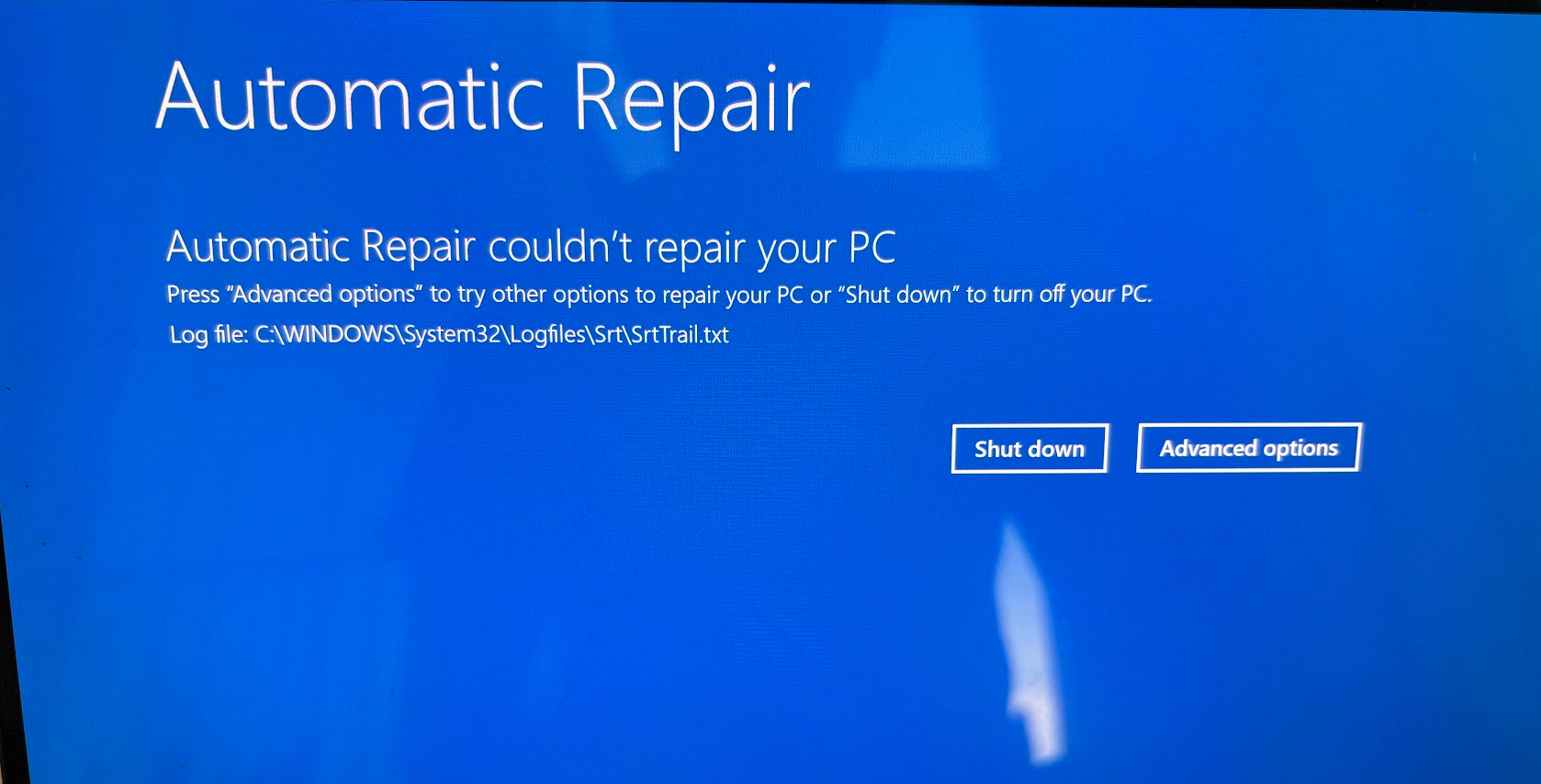
So there is no automatic repair - great.
What should have happened next?
Windows 11 was supposed to get a feature called "Quick Machine Recovery" starting November 2024, and being rolled out to all Windows 11 24H2/25H2 machines during 2025.
Here's how Microsoft describes it:
How does quick machine recovery work?
When your device encounters repeated startup failures due to a known, widespread issue:
- Detection: Windows detects startup issues after several failed attempts to boot.
- Recovery Mode: Your PC enters the Windows RE and connects to the Internet via Ethernet or supported Wi-Fi (WPA/WPA2).
- Connection: The device connects to Microsoft’s cloud recovery services, looking for a remediation.
- Repair: If a solution is found, it's applied automatically and your PC restarts.
(Source: Microsoft Support — Quick Machine Recovery)
But in my case, this did NOT happen. I guess you DO need to manually enable it beforehand.
And since there's no enabling it after the fact, my next move is to simply reset the PC.
Maybe I should have read the documentation before needing the feature... But who does that, really? 😅
Time to reset the PC!
Anyway, I decided to bite the bullet, and reset my PC.
After getting to the Windows Recovery Environment (Windows RE), you can initiate that process under "Advanced options".
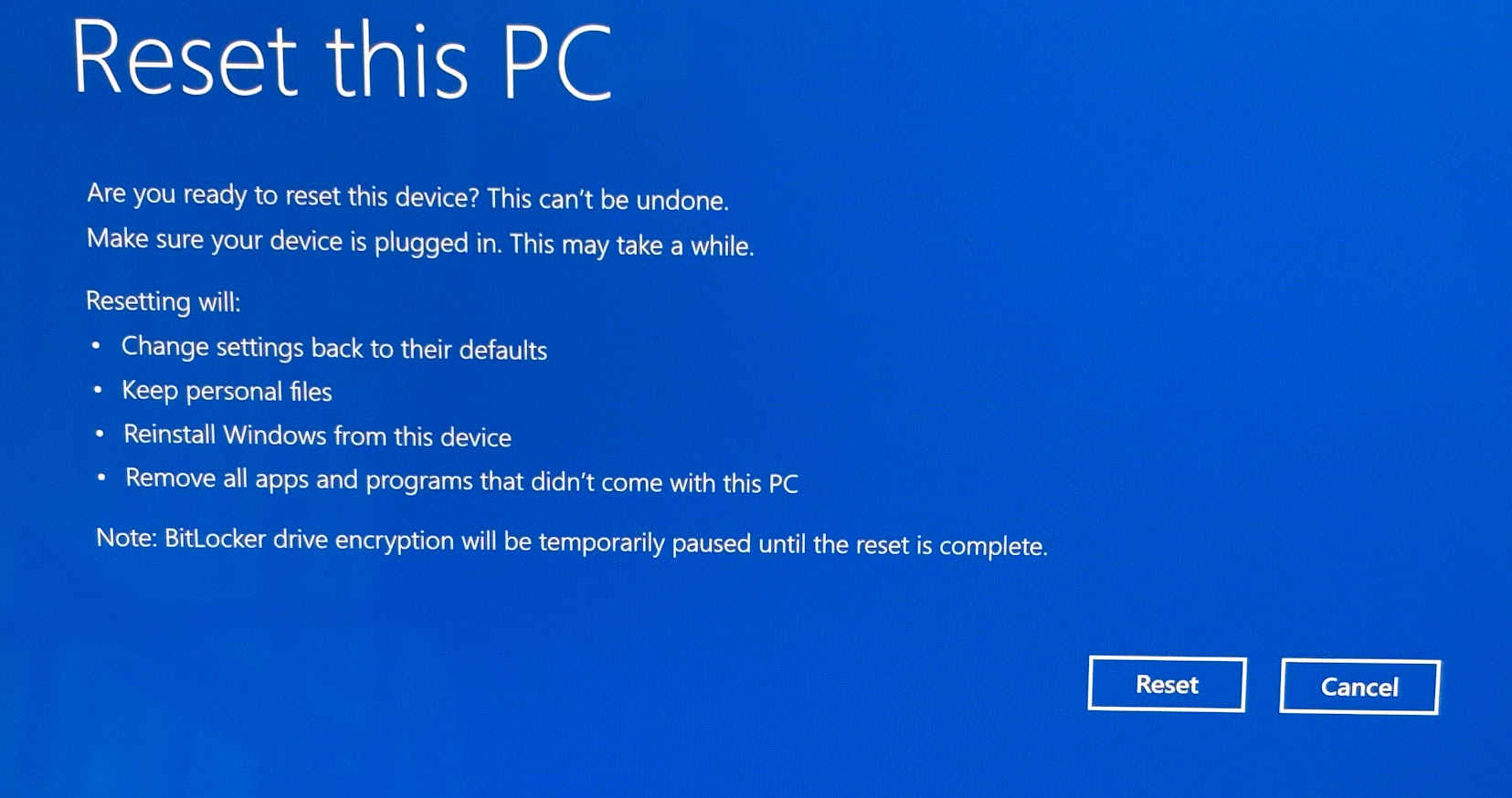
But alas - as you might have guessed, it's not that simple.
The different reset options all failed spectacularly.
Restoring from a restore point fails. Resetting while keeping files fails. Resetting and removing everything fails. Resetting from a local reinstall fails. Resetting from cloud download fails.
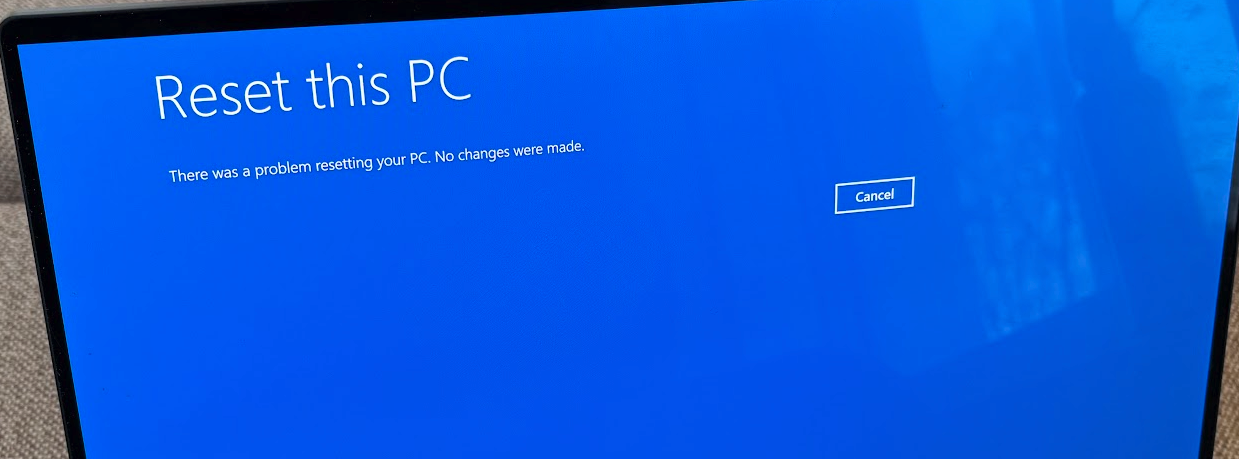
Before heading out to find a USB stick with Windows 11 installation media, I decided to try one last thing: Restoring the original Windows installation using Dell SupportAssist.
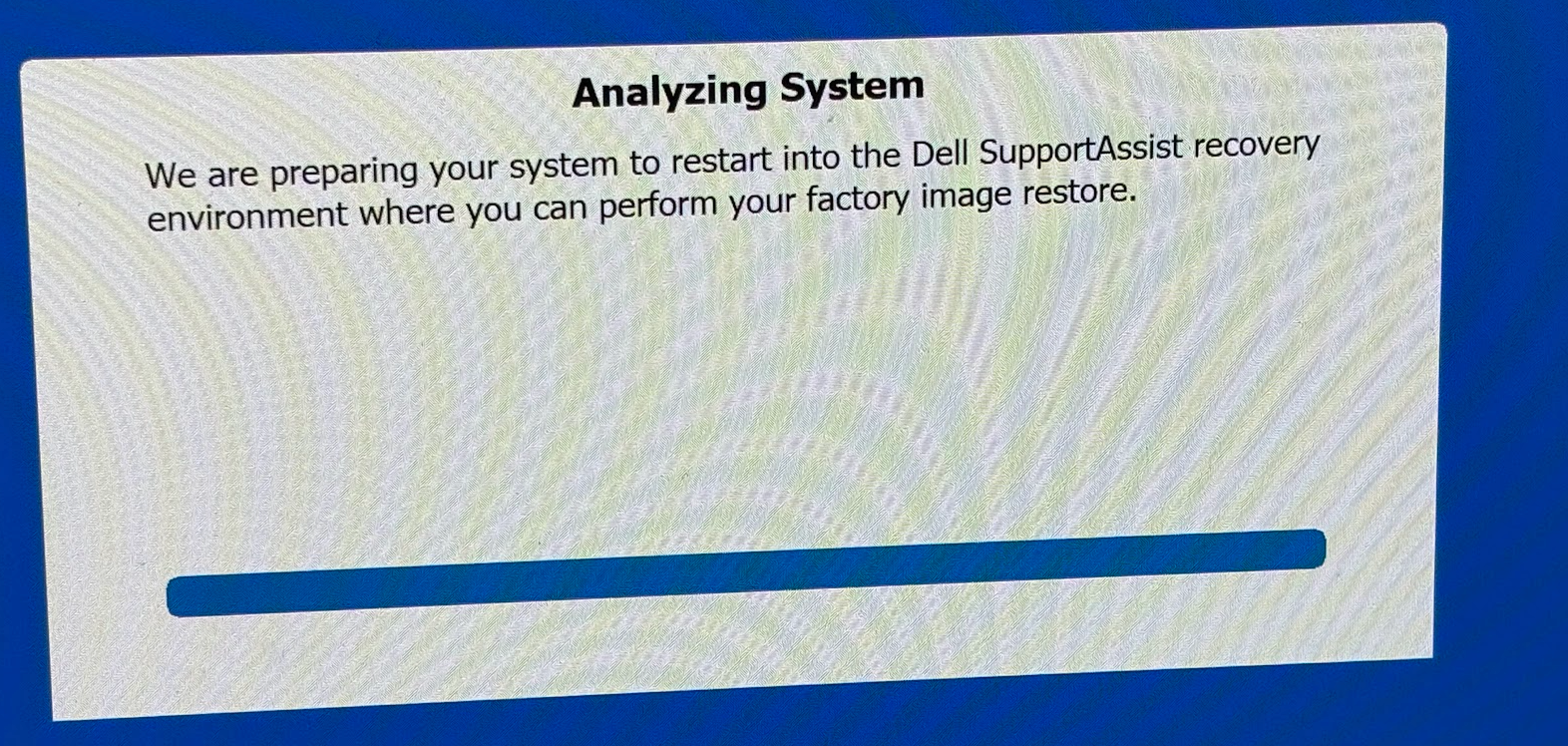
And it was at this point that I realized that my life was about to get a whole lot more complicated.

Apparently, there is NOTHING to back up.
Nada.
Dell found absolutely nothing to save, after 8 months of (fairly inactive) use. So during the 8 months, after my last forced clean install, I've been able to create exactly 0 kilobytes of data.
I happen to know for a fact, that there WERE actually a bunch of files that could, in an optimal world, be backed up and simply restored.
And I had unlocked BitLocker before starting the recovery process. Three times at this point, actually. And that means a lot of guids to enter manually (after finding the manual pdf backup of the recovery keys, of course, because there was nothing synchronized to Entra ID).
Anyway, despite all of that, SupportAssist simply could not find anything worth saving.
Armed with the knowledge that there is NOTHING I can salvage from the machine (but trusting that my backups probably worked better than whatever Dell was trying to do), I proceeded to wipe the machine and reinstall Windows 11 from scratch.
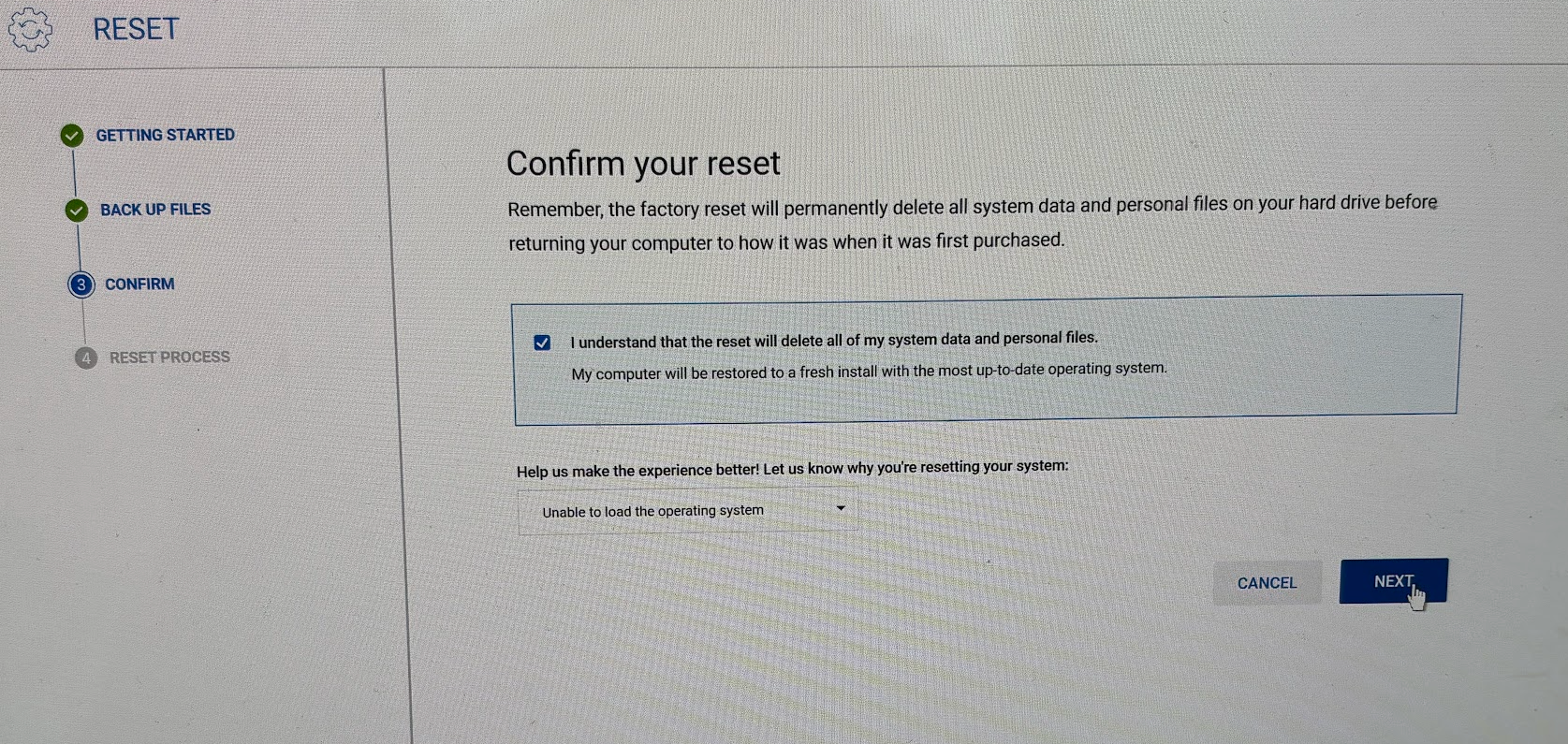
I have no idea how long this took — I was sipping eggnog and setting up an iPad for my kids during the process. Setting up Family Sharing on iOS is a whole other can of worms, so I won't bore you with that here. I'd take that any day over this.
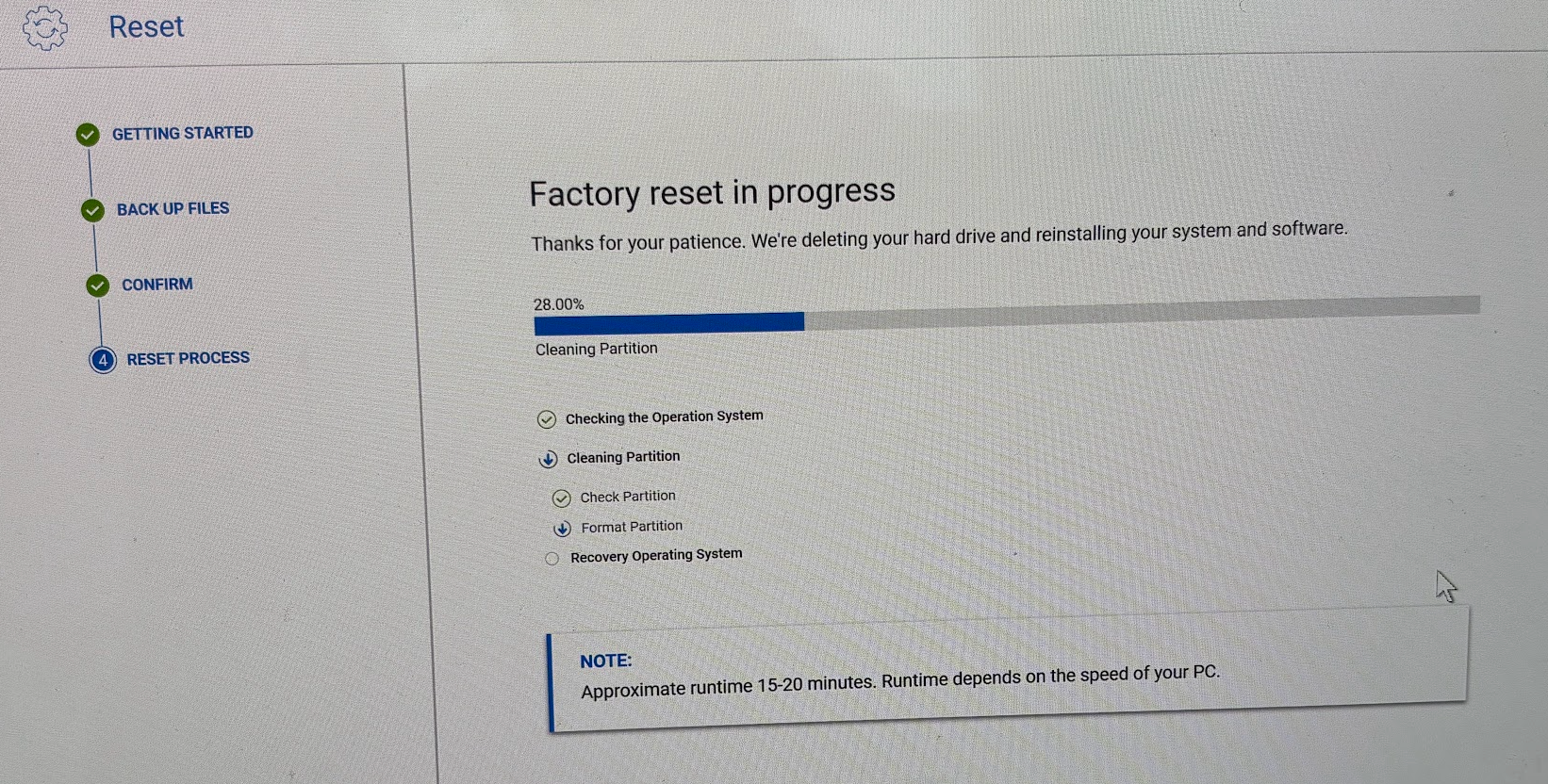
What next?
Over the last few years, I've experienced on average 2 catastrophic Windows failures per year, so I have a pretty solid restore script that installs all of my apps and settings automatically.
It installs a lot of apps and applies other configurations, but in the past I've also used it to apply some registry tweaks to remove some unwanted features like super slow Web Search in the Start Menu.
But maybe some of the registry tweaks contributed to the problem. The fact that it only took eight months for the machine to break down again, despite minimal usage, makes me wonder if Windows Update is to blame because I disabled the Weather widget in the Task Bar...
So this time, I decided to try a different approach: zero registry tweaks.
It's not like I use the machine much anyway... 😅
If it STILL blows up in 6 (or so) months, at least I can blame Windows Update without any reservations.
But enough of the blame game! What's a fresh Windows installation like in late 2025?
The first run experience
Windows is... Kind of confusing, actually, when you're just getting started with a new machine. But let me get started with my first issue - Windows Update and upgrading to the latest version of Windows 11.
Windows Update wouldn't even give me the latest version of Windows!
My last laptop (which I bought after this one - in early 2025) shipped with Windows 11 22H2, despite having been manufactured just months before I got it - and both 23H2 and 24H2 were already available.
22H2 was already old enough not to be supported when I got the machine - so Windows Update simply refused to work and my first task was to download the Upgrade Assistant and get to Windows 11 24H2.
More fun than a bag of ferrets. But it got me thinking.
What would my mom or grandma have done with that laptop? The machine shipped in an unsupported state with no upgrade path.
Anyway - I know how to upgrade Windows. So that's the first thing I did, as my machine finally booted up into Windows 11 23H2.
See, 23H2 has some shortcomings:
- Ancient winget package manager
- No support for Dev Drive (despite claims to the contrary)
And due to these limitations, my restore script (which I have lovingly crafted over the years) couldn't install most of the apps I need.
Anyway - Microsoft wouldn't let me install 25H2 directly from Windows Update (I had to download the Installation Assistant for that), which isn't that surprising given how Windows Update mostly just fails to install updates anyway:
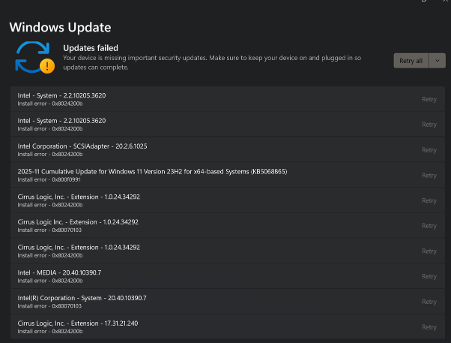
But after a bit, the Upgrade/Installation Assistant finally got me to Windows 11 25H2:
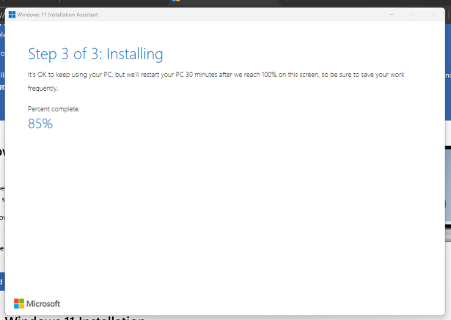
I ran my restore script again, and finally got my apps back in place.
But something felt... Off.
Windows 11 certainly doesn't look or feel personal
I signed in with the same (Entra) account I had on the previous installation, hoping that Windows would restore my settings from the cloud. But apparently Windows synchronizes less and less settings from one machine to another these days.
The only things I noticed being restored, were:
- Wallpaper (which I have not bothered to touch for years since this pc keeps getting reset)
- Windows theme (dark mode, accent color, etc) ... and that's it.
Stuff like keyboard layouts, languages, installed apps, regional formats, taskbar settings, pinned apps, wifi passwords, File Explorer preferences (like whether to show hidden files), or random important stuff like Power settings... None of that was restored. On a fresh install, everything is gone.
This contrasts with Microsoft's documentation: Windows backup settings catalog
But, I mean... Who cares what the documentation says, right?
Battery life observations
Before the fun bootloop, I was actually getting a slowly improving battery life on my Dell Max Ultra Plus with every new Windows Update (and with my diminishing usage patterns), reaching all the way into a solid 2.5 hours of light usage.
With 23H2, battery life went back to about 1.5 hours. In a way, it's nice to see Microsoft validate my hunch that the PC was actually getting slightly better (in this ONE regard, at least) over time.
Upgrading to 25H2 DID in fact fix this. I mean, 2.5 hours is still awful, but it's better than 1.5 hours.
Default scaling is broken
It's kind of amazing, but by default, Windows 11 sets the display scaling to 250% on my 4K display. I've called macOS out for looking like it's been drawn with crayons, but Windows 11 just looks different kind of terrible with the default scaling.
This means that some apps - like Bitwarden - are partially rendered outside the visible screen area by default.
Terrible default settings, Microsoft.
Dev Drive
Dev Drive kind of just sprung back to life after upgrading to 25H2. With 23H2 it simply seemed to not be able to handle ReFS volumes at all.
OneDrive
Setting up a couple of OneDrive accounts (personal and work) is always a fun way to enjoy some unproductive frustration.
And exhilaratingly, the experience somehow seems to get slightly worse every time I have to do it!
I mean, it's always slow. It seems to run into random conflicts all the time. It even has a tendency to crash silently all the time.
But this time, it was worse.
This time, every single account needed to first finish synchronizing before I could even sign into the next one. Otherwise the app would do one of 2 things:
- For personal accounts, the app would let me configure the account, and then simply crashes
- For work/school accounts, the app would refuse to even finish the sign-in process, instead throwing this useless error message:
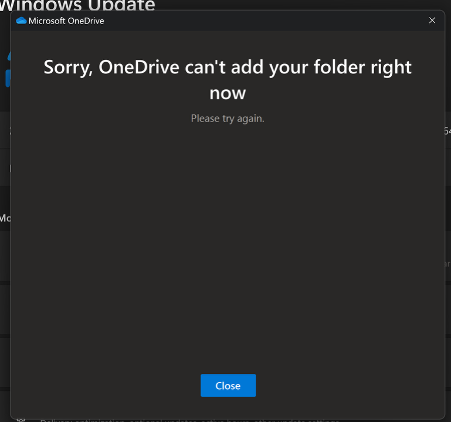
Overall, this is a markedly worse experience than before, when you could sign in and let multiple accounts sync simultaneously. And it IS different than on mac, where it seems to mostly just work.

And since Windows is not exactly lightning fast at crawling through a lot of small files, this will take a while. For me, it took a few days to get through my 3 accounts.
Terminal ships with an unsupported font by default
This is a tiny and random thing, but still annoying.
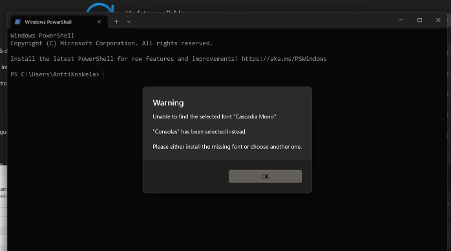
By default, Windows Terminal ships with a font called "Cascadia", but apparently selects "Cascadia Mono" by default - which is not actually installed. This has been a problem since 2021, apparently:
I have never seen it before, but apparently it's just another thing that's broken by default in Windows 11.
You can, apparently, fix it by reinstalling the Terminal app from the Microsoft Store... Right after you installed it from the Microsoft Store.
Fun.
Search is broken
I have posted a lot about Windows Search being broken in the past, but the truth is, it actually kind of worked for a few months.
Most of the files would eventually pop up in search results, and indexing would complete without errors.
But NOT this time. Even after OneDrive was done synchronizing (remember - this is DAYS in the process!), Windows Search still couldn't the script I use to restore my apps and backups, decrapify.ps1.
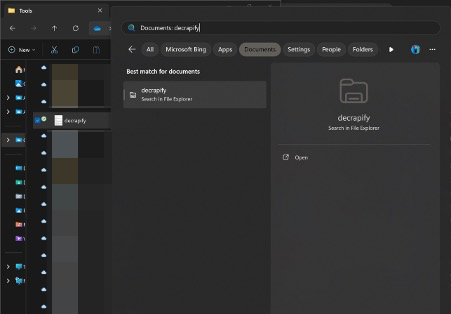
Yep — this file is definitely not hidden, but it is clearly not in the Windows Search index.
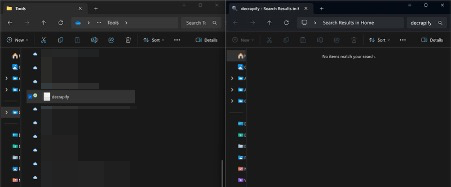
This time Search didn't even complain about indexing being incomplete. It just silently failed to find the file.
Random error messages
I don't know how to better describe these, so I'll just share the fun screenshots.
The first one is a doozy - I don't have Power Automate installed, nor do I want to have it. But Windows is kind enough to tell me that:
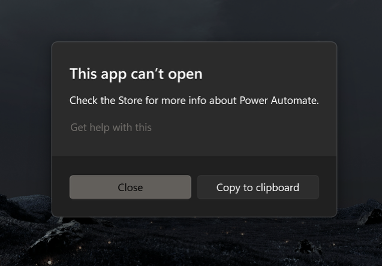
But also, there's this gem:
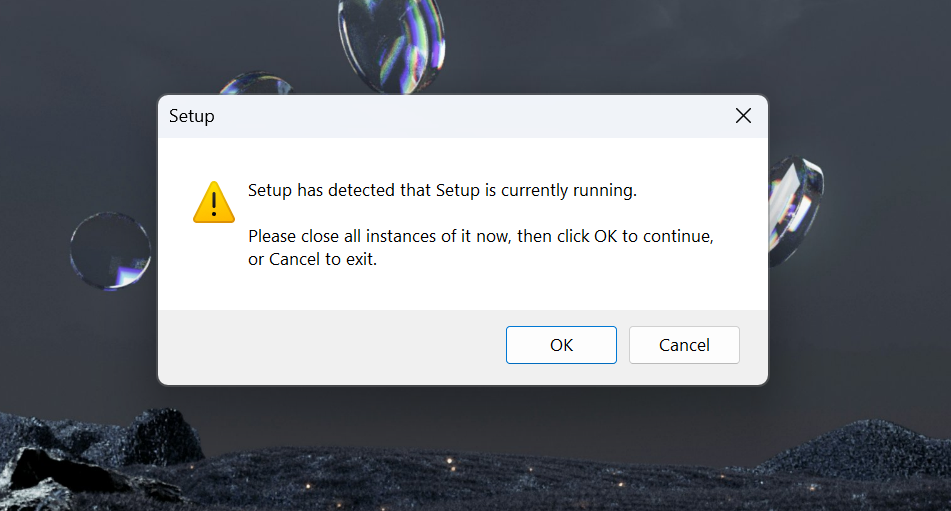
What is "Setup", and why is it running:
- Now?
- Already?
I most definitely did NOT start a setup of any kind. Makes you wonder WHO did? This is a fresh install after all.
Conclusion
Reinstalling Windows is frustrating, despite having backups and a configuration script to make the job easier. And I've been through this process 6-7 times over the last few years.
As you might remember, this is my second incredibly problematic Dell XPS laptop in a row. Of the 3 Windows laptops I've owned in the last 5 years overall, 1 has been disappointing and 2 have been absolute dumpster fires (and productivity killers!)
I hope Windows 11 26H1, 27H2 or 28H3 (using Excel logic for naming here) will stabilize the platform, but honestly, I mostly work on a Mac now - which just makes me even more frustrated when I have to fix this laptop twice a year ANYWAY.
Footnotes
* Glühwein, glögg and eggnog have nothing else in common, except being traditional holiday drinks in different countries. Choose your poison — mine is glögg with scotch.
** I actually have a Dell XPS 14 (9440). All other ways I call this heap of junk are purely for comedic effect.
Comments
No comments yet.